

Account, services and billing
Suspend, reactivate or delete accounts on a reseller plan
Go to Hosting, open the multi-account plan and select Client accounts. The actions available depend on each account's status.
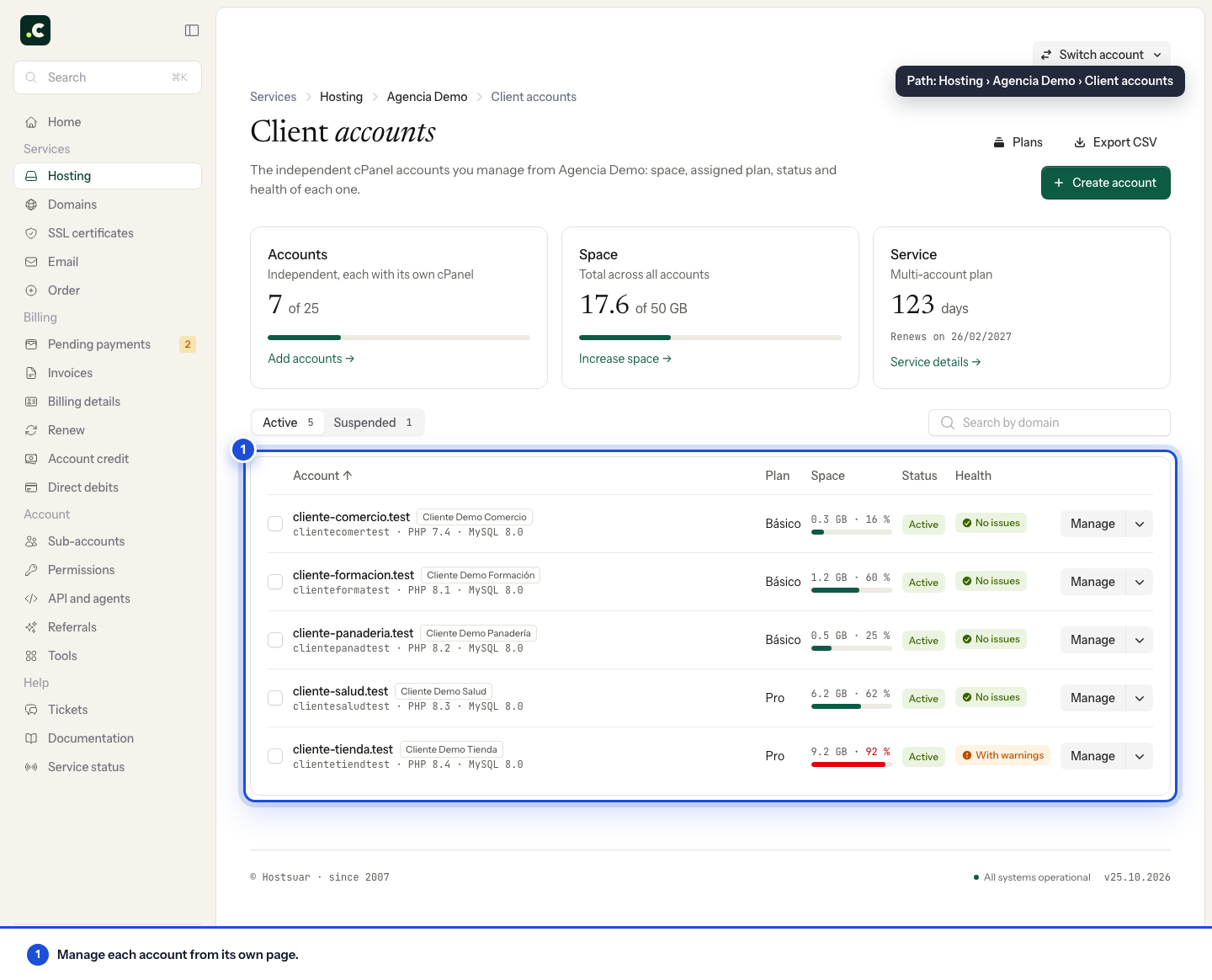
Suspend an account
In the list, open the Manage drop-down of an active account, choose Suspend and confirm. From the account's page it is the More actions → Suspend account menu. Suspension stops the website, email and access, but keeps the files, mailboxes and databases so they can be reactivated.
You can also select several accounts and use the bulk action. Bulk operations are processed in the background and may take a while to show.
Reactivate an account
Find the account in the Suspended filter, click Reactivate and wait for the operation to finish. The account comes back with the data it had when it was suspended. You can also do this from its page, in More actions → Reactivate account.
Delete an account permanently
Deletion is done from the list, in the Suspended filter: open the drop-down on the account's Reactivate button and choose Delete permanently. It also supports multiple selection. The account's page does not offer this action. Before confirming it:
- Keep a separate backup of the files, databases and mailboxes that must be kept.
- Check where the domains point and which email depends on the account.
- Make sure you have selected the right user and domain.
Deleting cannot be undone. It removes the cPanel account together with its files, email and databases. The system does not create a recoverable backup when you confirm this action.
Check the operation
After a bulk action, go back to the list and review each account's status. The request being accepted does not mean they have all finished. If one fails, note down the user and the message before trying again.
Suspending a reseller account does not, on its own, cancel the multi-account plan or renew its domains. Before deleting, check that the separate backup can be opened and restored; a backup stored inside the account would disappear with it. For a suspension due to an intrusion, fix the cause before reactivating.
You may also find useful
- Increase the space on a multi-account hosting service How to increase the total space of a multi-account hosting plan, how the prorated amount is calculat...
- Manage several client accounts with a single user How to request, approve and revoke permissions to manage several accounts with the same user, and ho...
- Configure hosting or a reseller plan before paying Choose the cycle, domain and capacity, understand what gets added to the cart and go on to payment w...
- Add and check account credit in the client area Generate a proforma invoice to add credit, check when it becomes available and decide how to apply i...
Something wrong or out of date? Tell us and we will review it.