

Account, services and billing
Add and check account credit in the client area
Go to Billing → Account credit to see the credit available. This option is shown to the account holder when they can add credit or already have some.
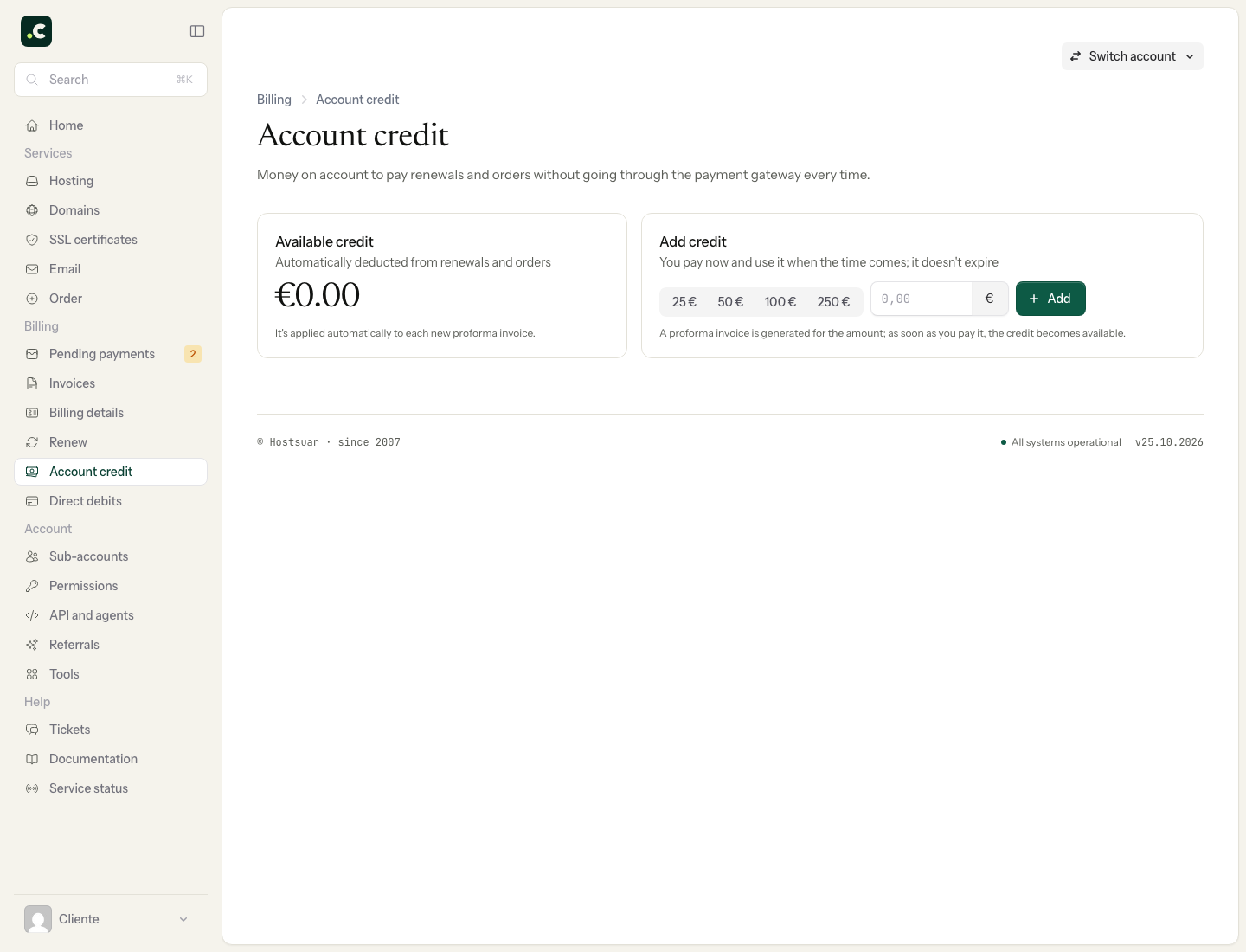
Add credit
- Choose one of the suggested amounts or enter a custom amount between €10 and €2,500.
- Click Add.
- Review the proforma invoice that is created and complete its payment.
Clicking Add does not increase your credit straight away. It first generates a proforma invoice; the credit becomes available when the payment is confirmed.
Use your account credit
Credit does not expire. Depending on your account's billing preferences, it can be applied automatically to orders and renewals, or you can use it manually when a proforma invoice allows it.
Before confirming an order, check in its summary how much credit will be applied. The credit used is deducted from the total due and is shown on the invoice.
If you do not see the Account credit section, check that you are acting as the account holder and not from a sub-account with limited permissions.
Check a top-up or a deduction
If you have paid the top-up and the credit still does not appear, first check the status of its proforma invoice and keep the reference. Do not generate another top-up to fix the previous one.
After using credit, check how much was applied to the document and how much is left. Account credit and referral commissions are different things: a pending commission does not, by itself, become credit to pay for services.
You may also find useful
- Choose the default payment method How to set the initial payment method on new proforma invoices, and why, except with direct debit, y...
- Direct debit How to set up SEPA mandates, assign bank accounts per service, exclude automatic payments and what t...
- How to pay a pending proforma invoice How to find a pending proforma invoice, review its breakdown and choose in the client area how you w...
- Review and complete an order Check the basket contents, billing profile, payment, contracts, discounts and total before confirmin...
Something wrong or out of date? Tell us and we will review it.