

Account, services and billing
Increase the space on a multi-account hosting service
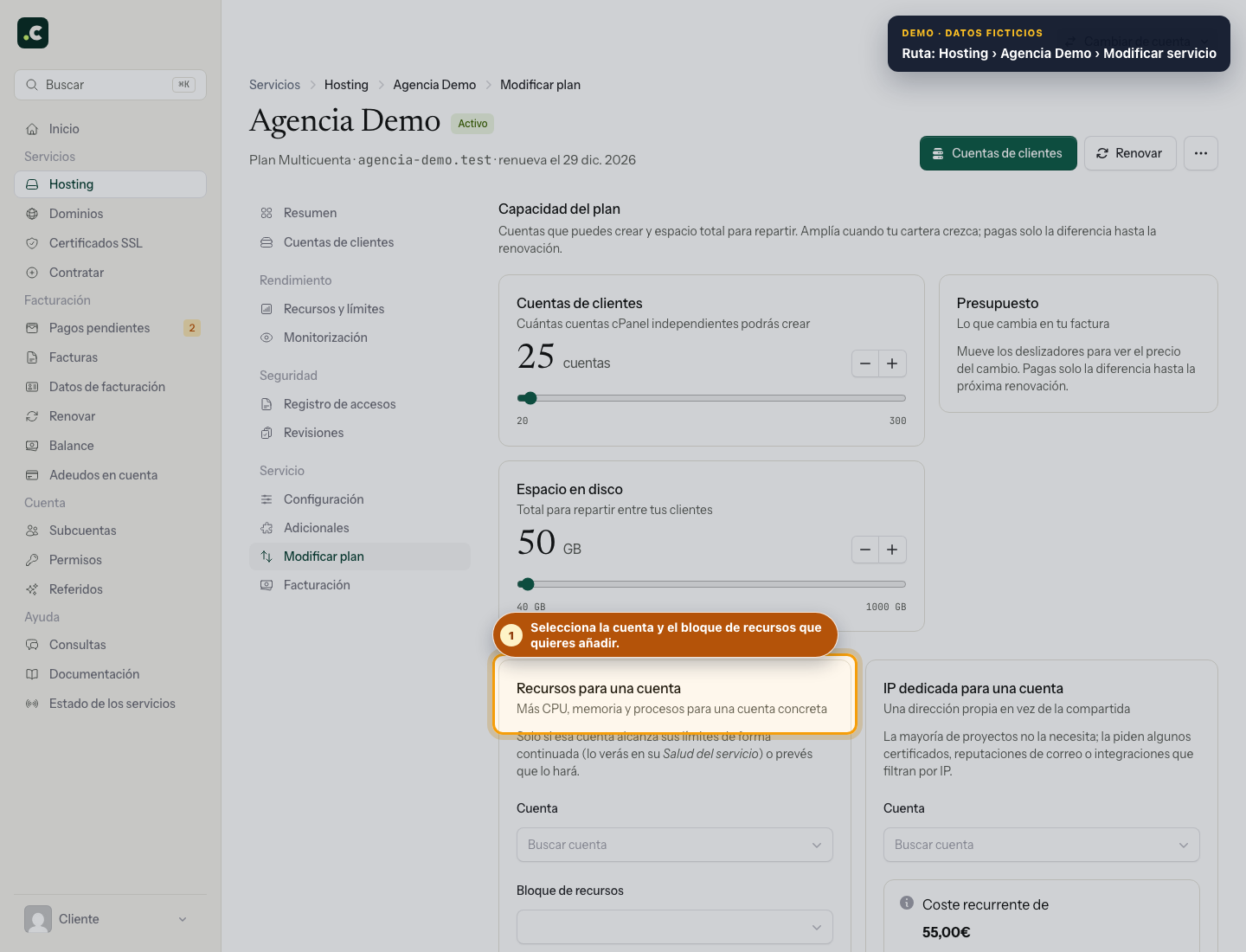
To add space to a multi-account service, go to the client area, open Hosting, open the multi-account plan and select Service > Plan and add-ons.
In the Upgrade or change plan block, on the Plan capacity tab, two sliders set the client accounts you can create and the total disk space to share out, in steps of one account and 1 GB. The Quote card shows the new recurring price and the amount payable up to the current due date.
You cannot confirm the change while there is a pending renewal or sign-up proforma invoice for that service. Check Billing > Pending payments first.
The extra space is added to the multi-account plan's total and is billed on the same interval. You then need to go to Client accounts and increase the quota of the specific account that needs it, from Change plan or limits; ordering total capacity does not, on its own, change each account's individual limit.
Check that the upgrade solves the limit
After processing the change, go back to Plan capacity and check the contracted total. Also review the individual quota and used space of the affected account. If the total has free space but an account is still full, upgrading the plan again does not solve its individual limit.
Before reducing capacity, check the combined space used and the number of accounts created. Keep a separate backup before deleting content to free up space.
You may also find useful
- Using the management panel for multi-account or reseller plans A tour of the panel to create accounts and plans, view space and resources, edit limits one by one o...
- Sub-accounts with access to the client area How to create a sub-account, limit its scope and the operations it can perform, and keep access to b...
- Suspend, reactivate or delete accounts on a reseller plan Stop an account temporarily, reactivate it or delete it permanently, with the checks you need.
- Add and check account credit in the client area Generate a proforma invoice to add credit, check when it becomes available and decide how to apply i...
Something wrong or out of date? Tell us and we will review it.