

Account, services and billing
Renew a service early
Automatic renewals are usually prepared within the 15 days before the due date, as long as the service can be renewed and does not already have a pending request. You can bring the process forward without waiting for that.
First check the service's status and whether there is already a pending payment.
To do so, sign in to the client area, go to Renew, find the hosting or domain and add it to the cart to process the request.
Renew opens the service selection directly so you can renew several together. The Forecasts button, at the top right, lets you see the charts and estimates for the coming months.
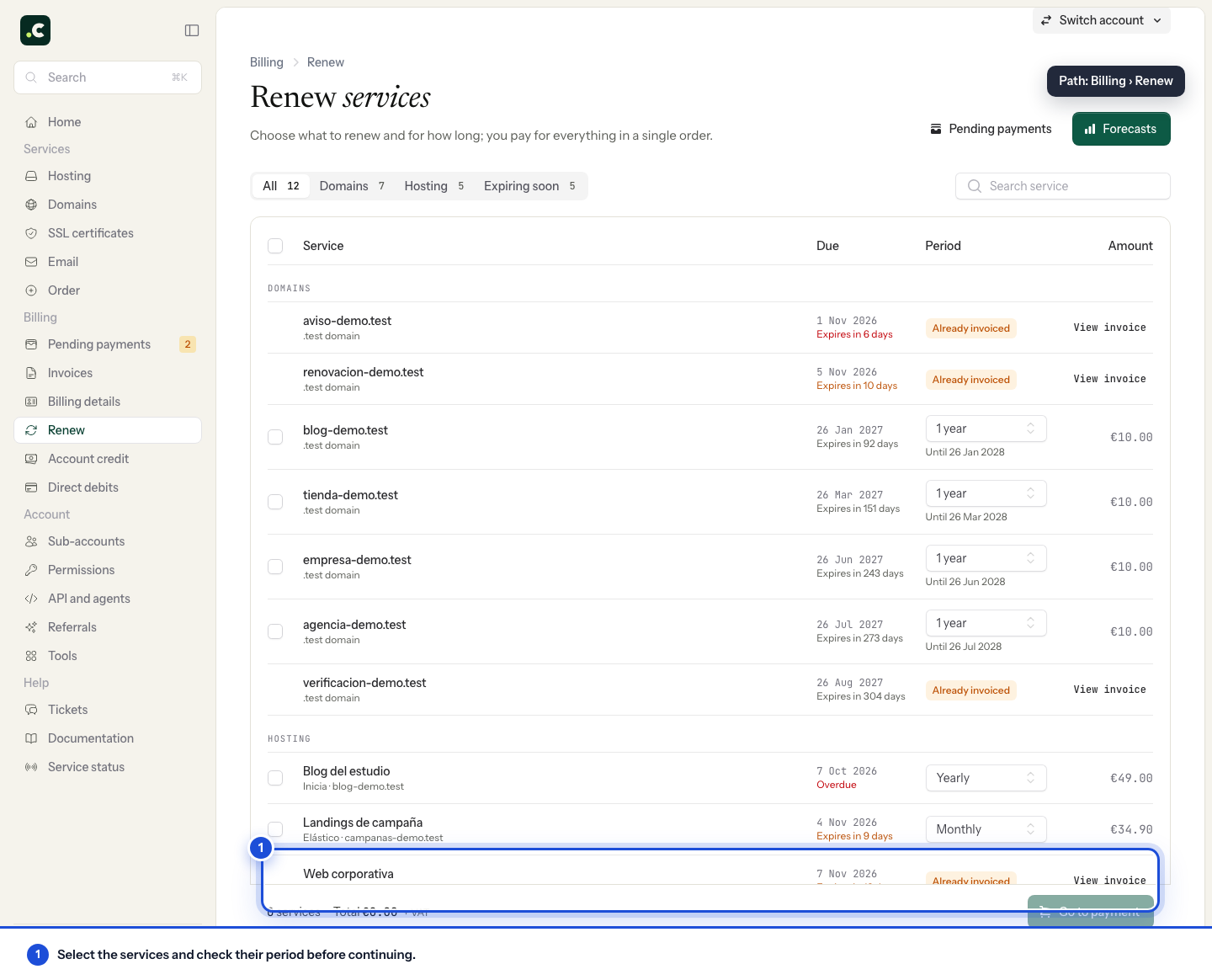
You can also request renewal from each service's own options.
Before generating another request, check Billing > Pending payments and Billing > Direct debits. If the renewal already has a proforma invoice or a bank charge in progress, do not process it again, to avoid duplicates.
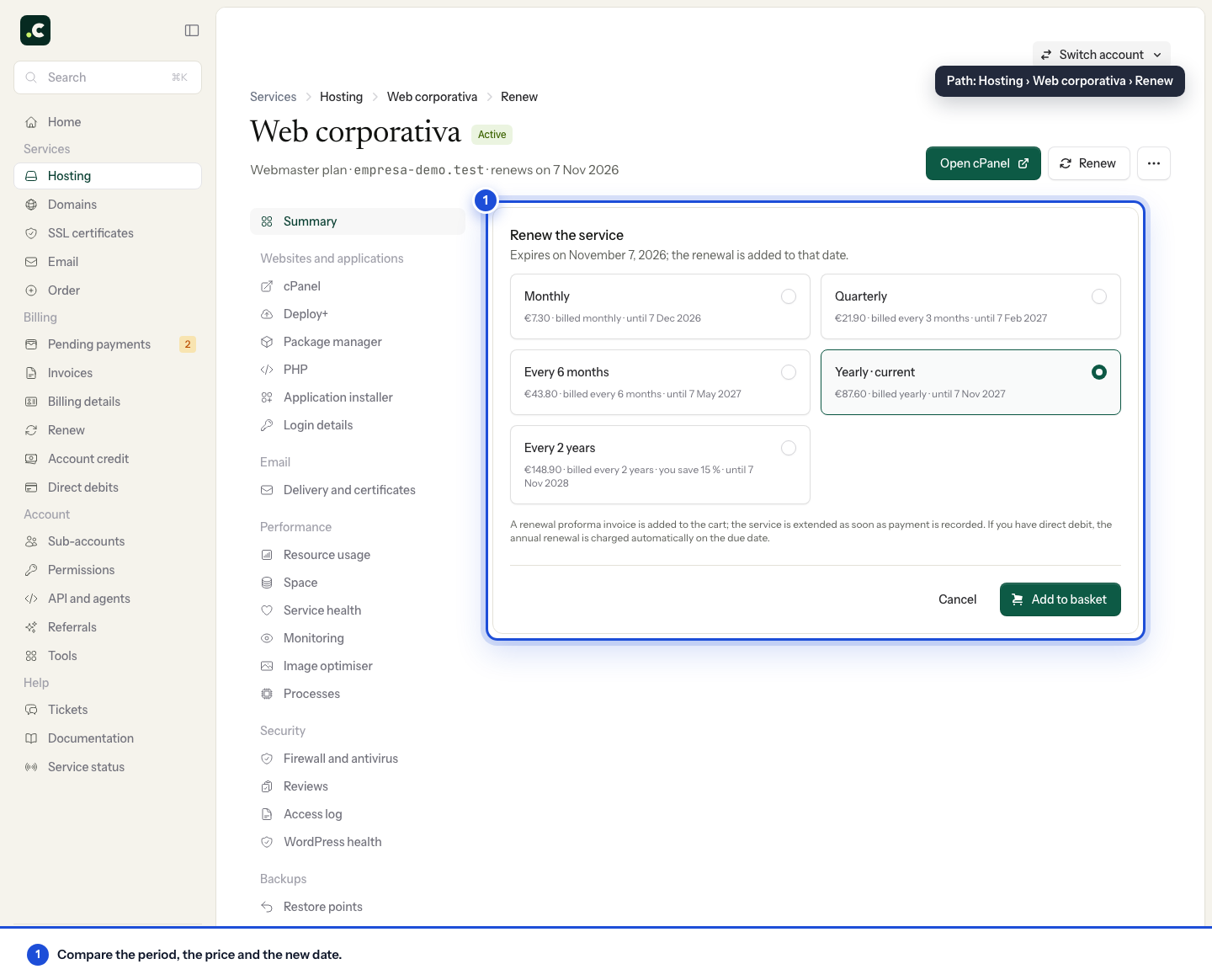
Check the period and the result
Check the name, the interval and the amount in the cart before confirming. The renewal request must be completed with the corresponding payment or direct debit; adding it to the cart does not on its own renew the service.
Once it has been processed, check the new date on the service's page. If the payment has been received but the renewal is still pending, contact us with the reference before generating another one. Domains may have extension or status restrictions that prevent renewing early.
You may also find useful
- Change a service's billing period Explains how to change the renewal interval without moving the due date, when a proforma invoice is...
- How an automatic renewal is generated and paid Explains when a renewal proforma invoice is created and notified, when it needs manual payment and h...
- Cancel a service's renewal Shows how to turn off renewal for a hosting service or domain, which reminders stop being sent and h...
- Change your hosting plan How to upgrade or downgrade a hosting plan, what stays the same, when you pay the difference and wha...
Something wrong or out of date? Tell us and we will review it.