

Account, services and billing
Change a service's billing period
Hosting services and domains that offer several periods let you change the interval of their upcoming renewals. A pending proforma invoice is updated while it can still be changed; it cannot be recalculated if the bank charge or another payment process is already under way.
Open the service from Hosting or Domains in the client area. Go to Service billing for hosting or Period and billing for a domain. Choose one of the available periods and save. Then check the interval and the pending proforma invoice, if there is one.
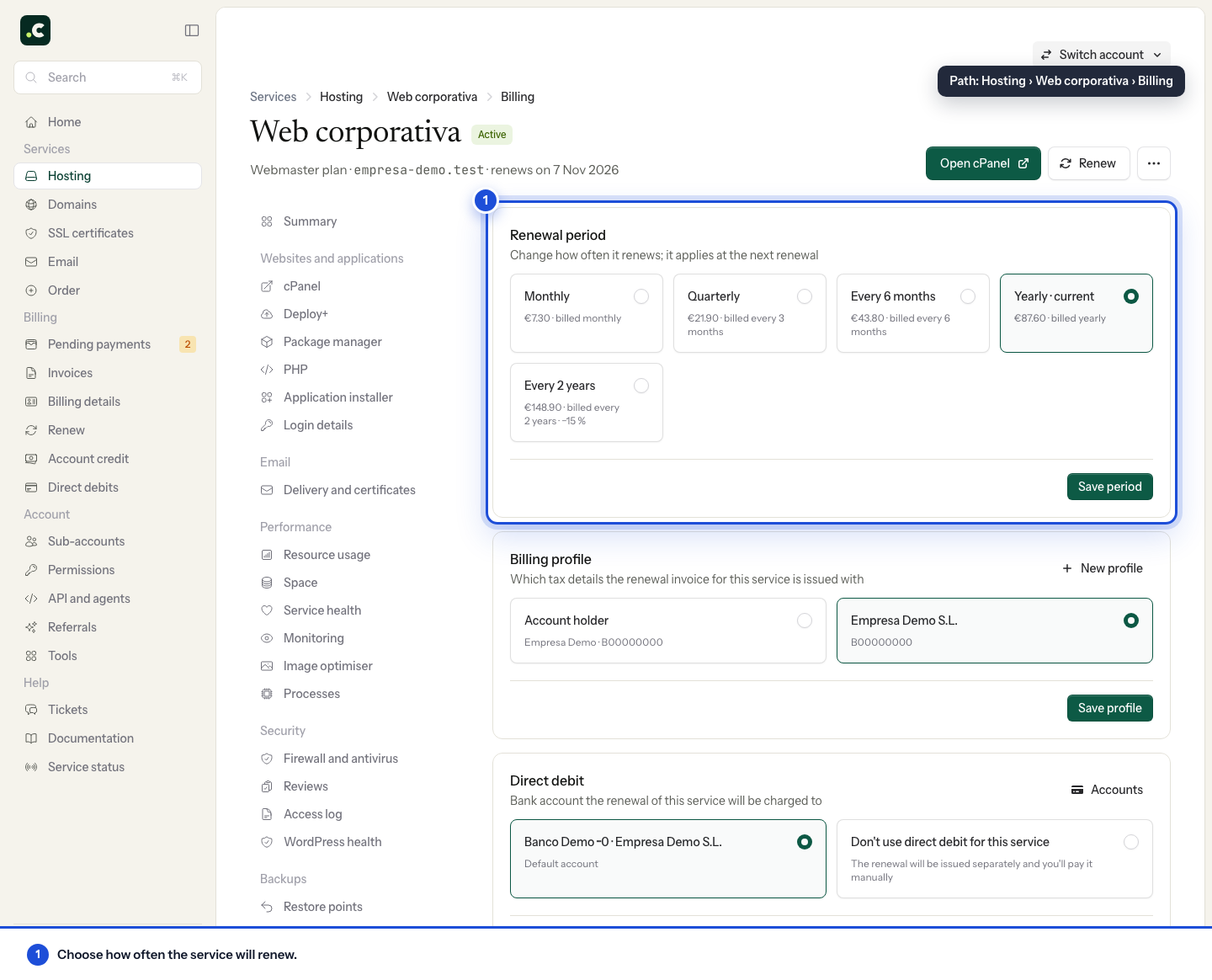
Difference between period and renewal date
The billing period is how many months or years are ordered at each renewal. Changing it does not on its own change the day the service falls due.
A domain's expiry date is set by the registry and cannot be moved freely. If you want a hosting service and its domains to generate their next renewals on close dates, contact us and tell us which services you want to group. We can look into adjusting the hosting date where possible, applying the proportional amount or the corresponding credit for the transition period.
Once they are aligned, turn on Group renewals into a single proforma invoice under Billing > Pending payments > Preferences so that the system combines services with compatible due dates into the same proforma invoice. Grouping happens whenever the profiles, payment methods and dates allow them to be processed together.
Grouping does not on its own change expiry dates. If it combines services with different dates, the proforma invoice takes the nearest renewal date as its deadline and each service keeps its own ordered period.
If the service does not offer another interval, do not place a new order to try to change it. Some products, such as Elastic hosting, are billed monthly. Check the total for the chosen period and its conditions before confirming; an equivalent monthly price does not mean you are charged month by month.
You may also find useful
- How an automatic renewal is generated and paid Explains when a renewal proforma invoice is created and notified, when it needs manual payment and h...
- Renew a service early Shows how to renew hosting and domains on demand from the cart or the service's page, without waitin...
- Elastic hosting: resources, automatic scaling and billing Where to adjust CPU, memory and disk, how to switch a fixed plan to Elastic without changing account...
- Kit Digital: how to use the voucher with a digitalising agent Explains how to check the deadlines of a Kit Digital voucher, formalise it with a digitalising agent...
Something wrong or out of date? Tell us and we will review it.