

Account, services and billing
Cancel a service's renewal
To turn off the next renewal, sign in to the client area, open the domain or hosting and use Cancel. Check the name and the due date before confirming.
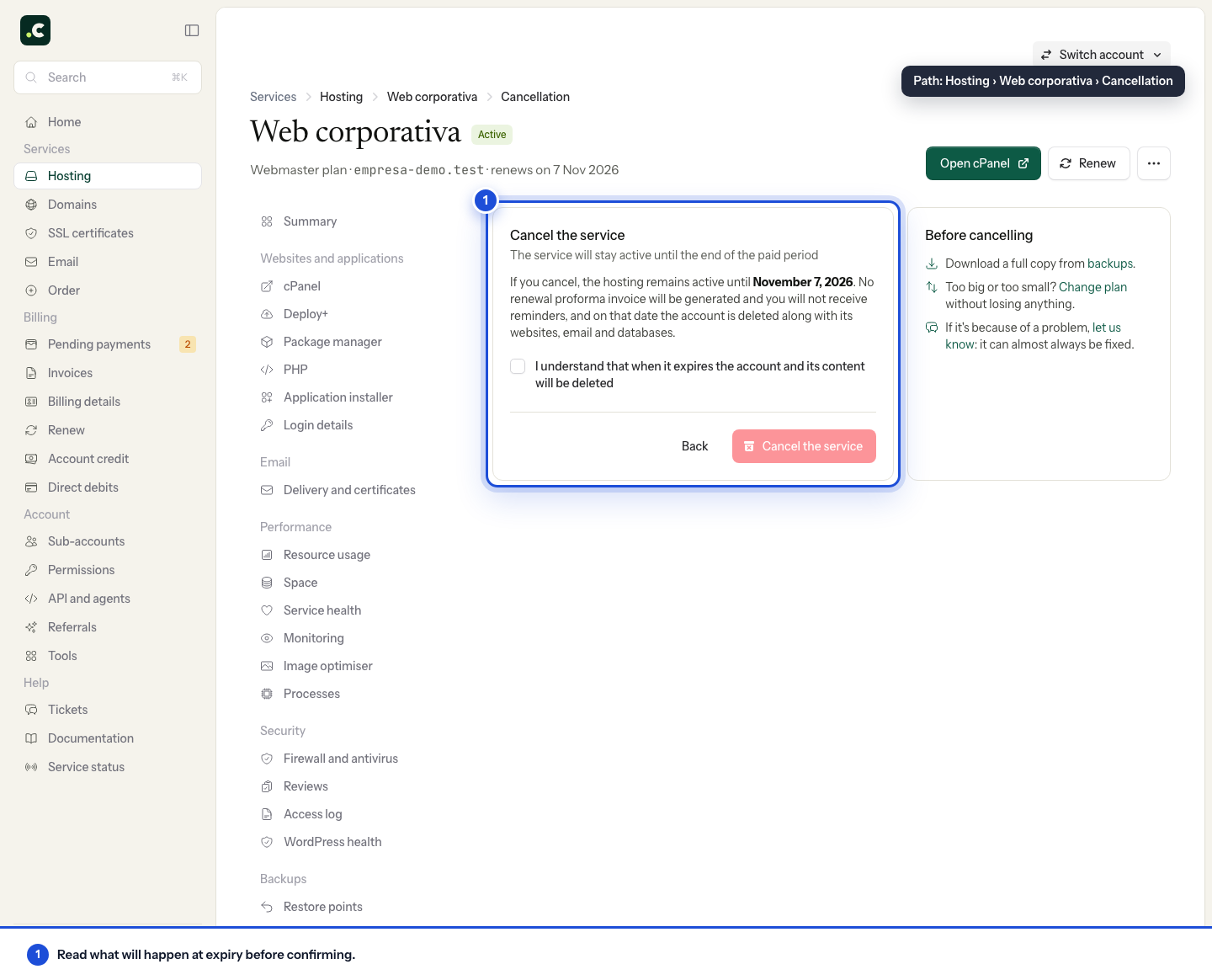
Bear in mind that once renewal is turned off, no new proforma invoices or renewal reminders will be generated for that service. The service stays active until its due date and may then be suspended or deleted; save any files, databases, mailboxes or domain data you need first.
You can turn renewal back on from the same page while the service can still be renewed. If there is already a pending proforma invoice, the system removes the corresponding item from it where possible. If there is a direct debit that can no longer be cancelled, the charge may go ahead even though you have turned off renewal: do not make another payment, and contact us so we can look into it.
Check the scheduled cancellation
Go back to the page and check that renewal is turned off. Also check Pending payments and Direct debits, especially if you had several services on one proforma invoice.
The domain and the hosting are separate services: cancelling one does not automatically cancel the other. If you are changing provider, finish migrating the website and email and check the destination before the due date. Turning off renewal is not a request for a refund of earlier payments.
You may also find useful
- Change your hosting plan How to upgrade or downgrade a hosting plan, what stays the same, when you pay the difference and wha...
- Elastic hosting: resources, automatic scaling and billing Where to adjust CPU, memory and disk, how to switch a fixed plan to Elastic without changing account...
- How an automatic renewal is generated and paid Explains when a renewal proforma invoice is created and notified, when it needs manual payment and h...
- Kit Digital: how to use the voucher with a digitalising agent Explains how to check the deadlines of a Kit Digital voucher, formalise it with a digitalising agent...
Something wrong or out of date? Tell us and we will review it.