

Account, services and billing
Sign in to the Hostsuar client area and recover your password
To sign in to the Hostsuar client area, open core.hostsuar.com. Use the email address you signed up with and your account password. If the account holder created a sub-account for you, use that sub-account's credentials.
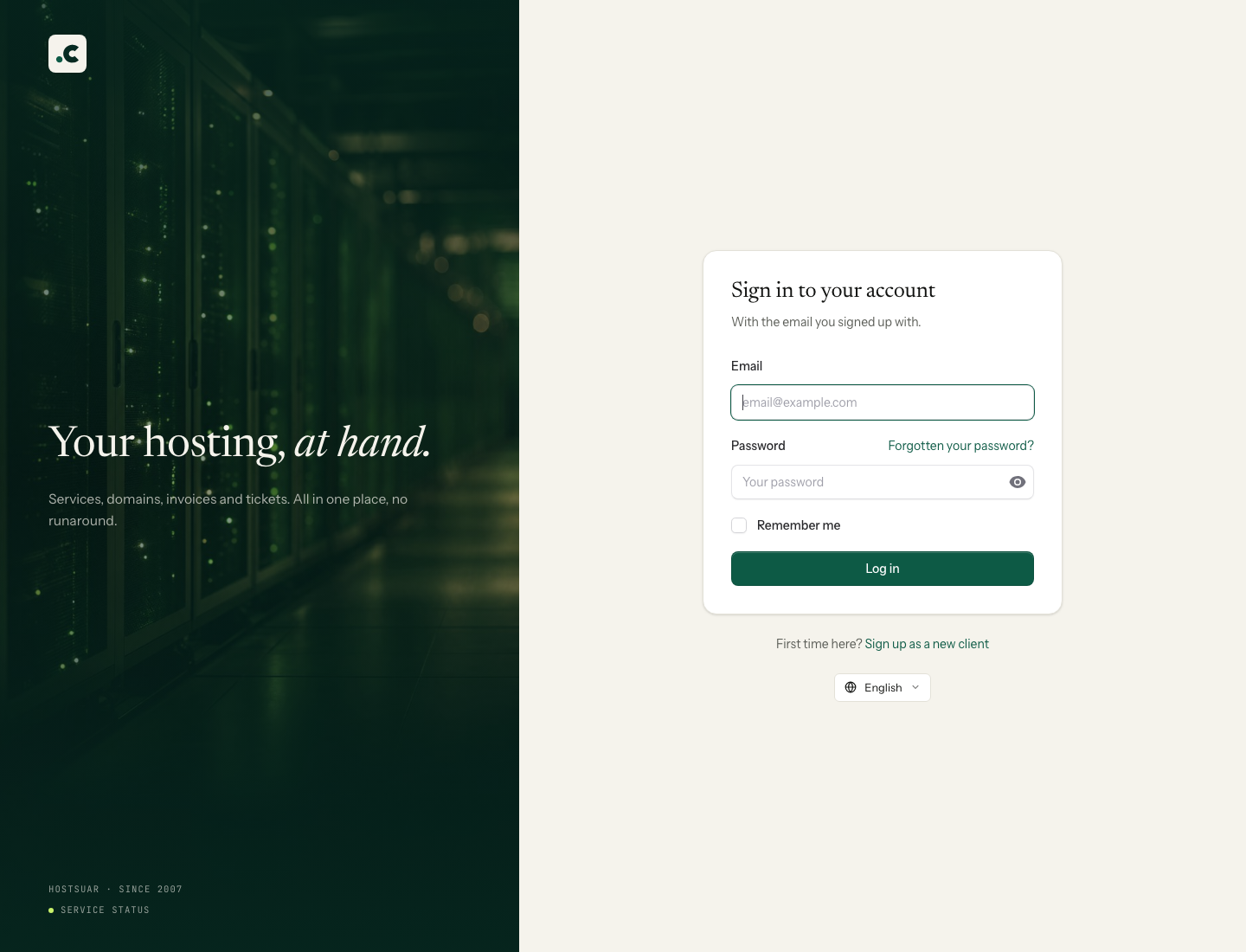
- Enter your address in Email.
- Enter the Password and click Sign in.
- If you have two-factor authentication turned on, complete the check you are asked for.
Once inside you can see your services, billing and support tickets. The guide to finding your way around the client area helps you find each option.
I have forgotten my password
On the sign-in form, click Forgotten your password? and enter your account email. Follow the instructions in the recovery message to set a new password.
If you cannot find the message, check your spam folder and make sure you entered the email you use to sign in to Hostsuar. It does not have to be one of the mailboxes on your hosting. If the link has expired or has already been used, request a new one and use the latest message you received.
My password works for email but not here
The client area, cPanel and mailboxes have separate logins. A mailbox password is not your client account password.
If what you need is to manage files or email accounts, sign in to the client area first and follow the steps to access cPanel.
I cannot access the recovery email either
Contact support from an address you can use and tell us the account or services affected. We will need to verify that you are the account holder or an authorised person before changing the sign-in details.
Wait for us to tell you which documents are needed and through which channel to send them; do not attach identity documents unprompted. Once ownership has been confirmed, we will help you regain access.
If you can sign in but do not see your services, check the selected account and, if you are a sub-account, its permissions. You do not need to reset the password again.
You may also find useful
- Client area: where to manage hosting, domains, email and payments Find your hosting, open cPanel, check payments and create shortcuts. What to check if a service does...
- Add and check account credit in the client area Generate a proforma invoice to add credit, check when it becomes available and decide how to apply i...
- Assign a billing profile to a service Explains how to link a hosting service or domain to a specific profile so that future proforma invoi...
- Available payment methods Lists the ways to pay and explains the current restrictions on Bizum, PayPal and direct debit.
Something wrong or out of date? Tell us and we will review it.