

Hosting and cPanel
Access the cPanel control panel
To manage files, mailboxes or databases, open cPanel from the client area. That way you reach the selected hosting without entering its password again.
Log in from Hostsuar
- Log in to the client area.
- Go to Hosting and find the domain you want to manage.
- Click Manage on its row.
- In the header of the hosting page, click Open cPanel. It opens in a new tab.
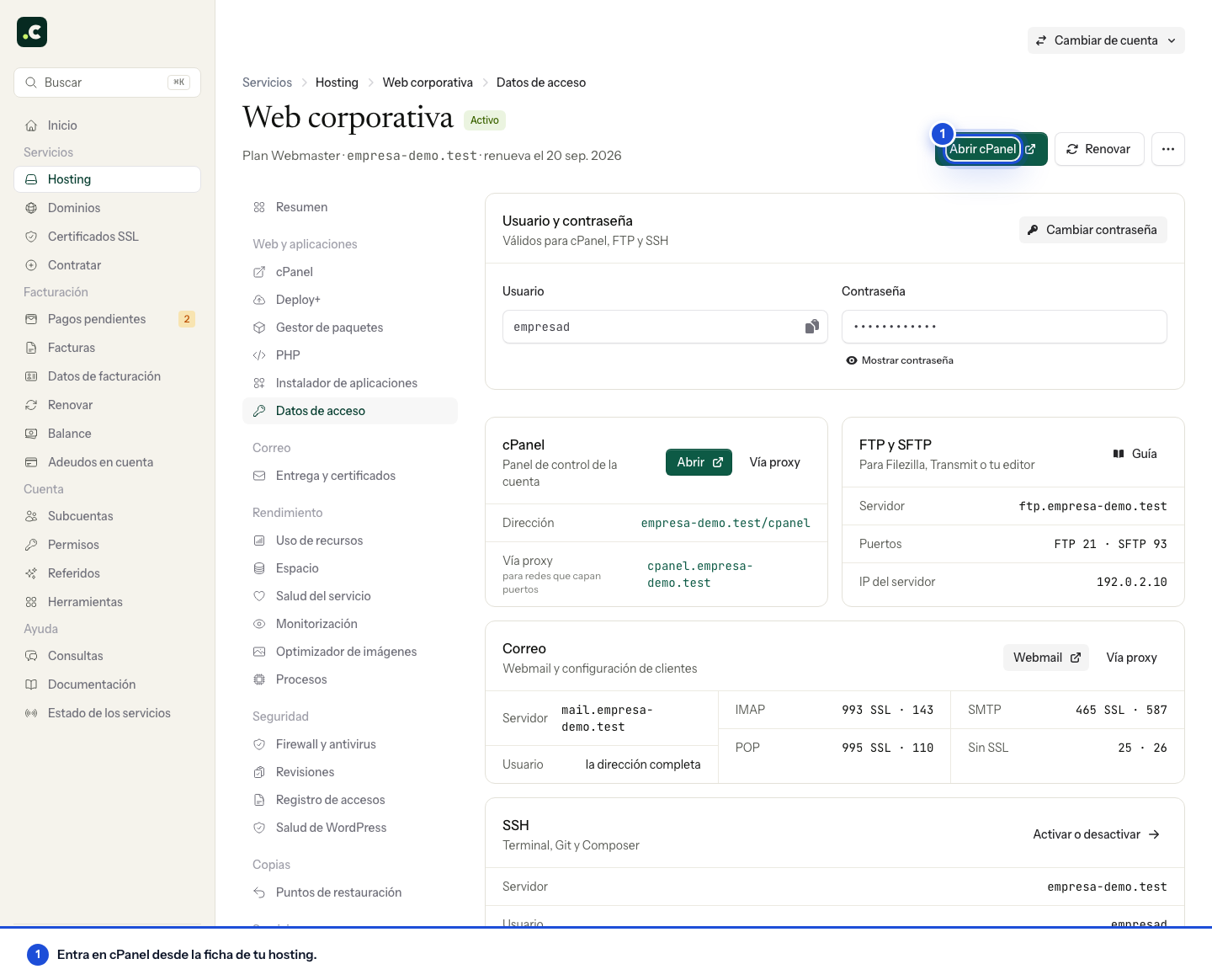
Check that cPanel shows the account you wanted to manage before changing files or creating mailboxes. If you have several hosting services, each one has its own cPanel.
Where to find the cPanel username and password
On the hosting page, go to Login details. The Username and password card lets you view the credentials; click Show password only if you need to see it.
These credentials are different from the email and password for the client area. To change them, use Change password on that same screen: that keeps access from Hostsuar in sync.
Access through a direct address
You can also log in over HTTPS using your hosting's domain:
https://cpanel.tudominio.com
https://tudominio.com:2083
Replace tudominio.com with the real domain. In this case you must enter the cPanel username and password. The domain must resolve to the right server and the address must present a valid certificate.
If you can't log in
| What happens | What to check |
|---|---|
| You can't see the hosting or the access button | Check the selected account and your sub-account's permissions. |
| Clicking doesn't open a new tab | Check whether the browser has blocked it. |
| The direct address doesn't load on your network | In Login details, try Via proxy on the cPanel card. Some networks restrict port 2083. |
| The credentials are rejected | Check that you are using the cPanel ones and not those of the client area or a mailbox. |
| A certificate warning appears | Don't enter the password or skip the warning; go back to access from Hostsuar and let us know about the error if it persists. |
If it still fails, open a ticket with the domain, the time and the message that appears. Don't send the password in the text of the ticket.
You may also find useful
- Manage cPanel from iOS, Android and mobile devices Access cPanel from a phone or tablet browser and use its responsive interface to manage the account...
- Getting started with your hosting: set up your website and email Open your hosting and follow the right path to create a website, move an existing one or set up emai...
- Understanding the health of a hosting service Interpret the client area summary of performance, security, email and certificates, and open the rig...
- Change the cPanel language Change the language of the whole cPanel interface from Account Preferences and select the translatio...
Something wrong or out of date? Tell us and we will review it.