

Account, services and billing
Billing and payment preferences
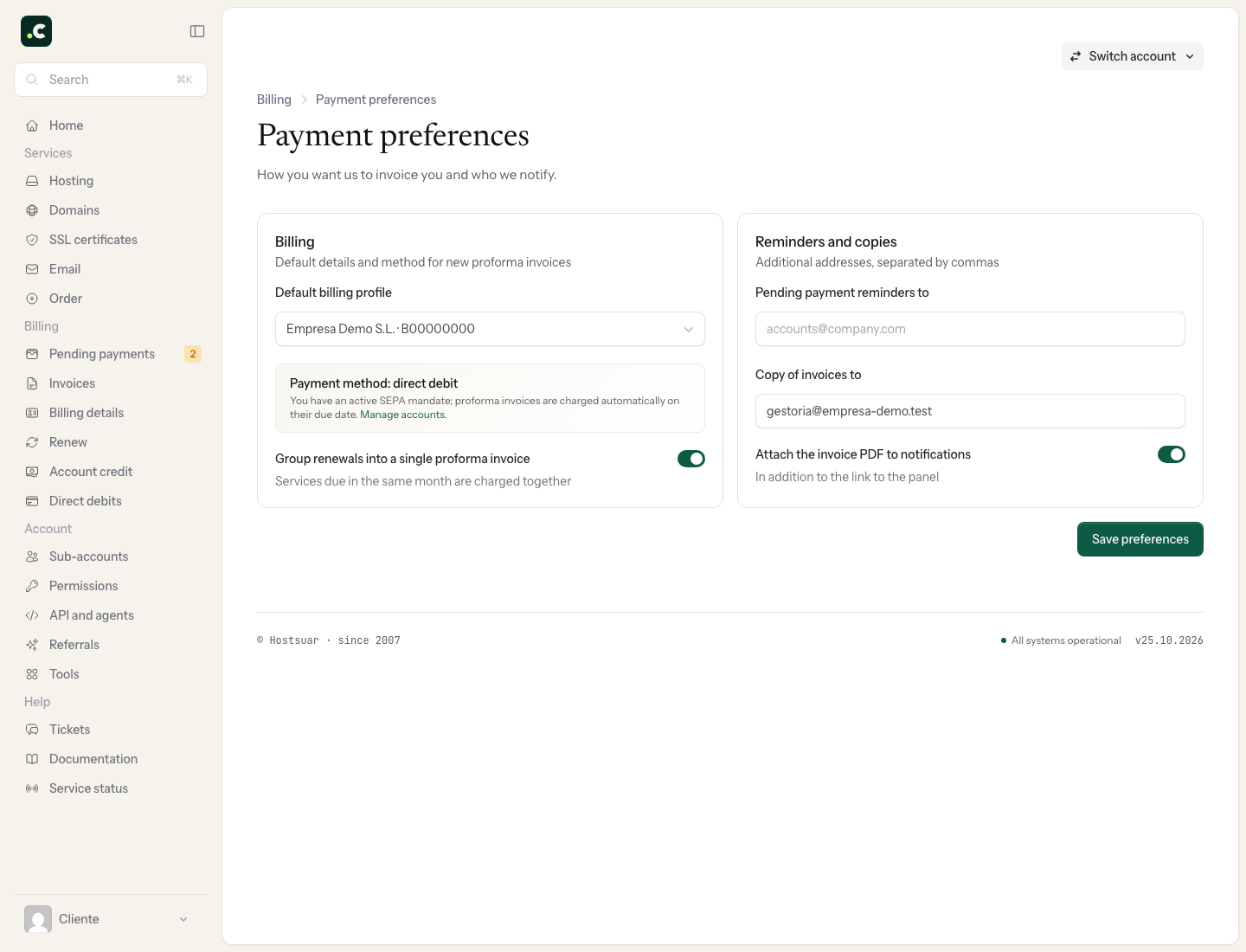
Go to Billing > Pending payments and click Preferences. Review these options and finish with Save preferences.
Billing
- Default billing profile: the initial recipient of new proforma invoices that have no other profile assigned.
- Default payment method: the initial method when it is available for that document. Choosing card, Bizum, PayPal or bank transfer does not turn on automatic charging.
- Group renewals into a single proforma invoice: lets you combine compatible renewals; each service keeps its own period and due date.
When there is an active direct debit, Payment method: direct debit appears instead of the selector. The bank account and exclusions are managed from each service's billing. Check charges in progress before changing how you are going to pay them.
Reminders and copies
- Send pending payment reminders to: additional addresses that will receive those reminders.
- Send invoice copies to: recipients of the copies, for example your accountant.
- Attach the invoice PDF to reminders: includes the document in the relevant emails.
For several recipients, separate the addresses with commas. Check each one before saving: invoices contain tax data. Receiving a copy by email does not grant access to the client area.
Check the changes
Open the preferences again and check the saved values. Review proforma invoices already created and each service's own profiles separately; changing a general preference does not automatically correct all earlier documents.
You may also find useful
- Change your personal contact and billing details Shows where to change the account's main contact, holder and billing details when you do not use sep...
- Default billing details Shows how to select a default profile for invoices and reminds you that each service can have differ...
- Download my data Shows how to download the main account data, its services and paid invoices in JSON format, and expl...
- Privacy and contracts Find the contracts and policies the account has accepted, and review or change your consent to recei...
Something wrong or out of date? Tell us and we will review it.