

Account, services and billing
Change your personal contact and billing details
The main details identify the account holder and are used for contact and billing, unless a service or document uses a separate billing profile.
In the client area, go to My account, then My details, where you can change the main contact and billing details.
Changing these details does not change invoices already issued or a domain's registry contacts. For an invoice, follow the guide to correcting issued documents: whether it can be edited depends on its status. Update a domain's registrant or contacts from its page when needed.
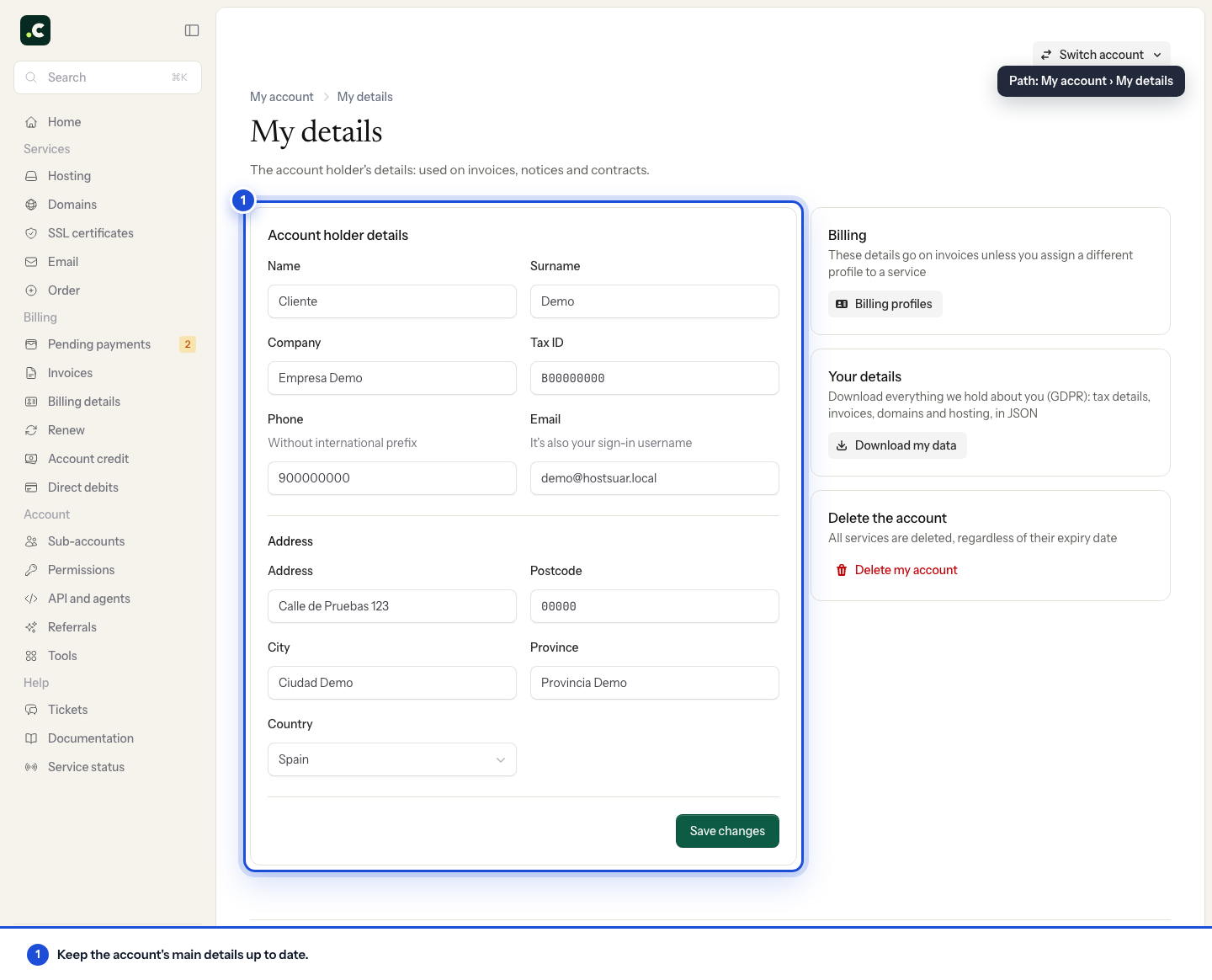
Before saving, check the name or company name, tax ID, address and contact email. When you are done, open the page again and check the result. If a field is locked, contact us rather than creating another account to try to replace the account holder.
If only some services should be invoiced to another company, use a separate profile and assign it to those services.
You may also find useful
- Assign a billing profile to a service Explains how to link a hosting service or domain to a specific profile so that future proforma invoi...
- Billing and payment preferences Summarises the settings available for profile and payment method, reminders and email copies, PDF at...
- Download my data Shows how to download the main account data, its services and paid invoices in JSON format, and expl...
- Privacy and contracts Find the contracts and policies the account has accepted, and review or change your consent to recei...
Something wrong or out of date? Tell us and we will review it.