

Account, services and billing
Download my data
You can download a JSON file with the main data associated with your account: personal and tax details, billing profiles, sub-accounts, hosting services, domains, certificates and the list of paid invoices.
To do so, sign in to the client area, go to My account > My details and use Download my data at the bottom.
This file is an export of administrative information. It does not contain website files, databases, mailboxes or PDF copies of invoices. Download that content separately before cancelling a service or requesting account deletion.
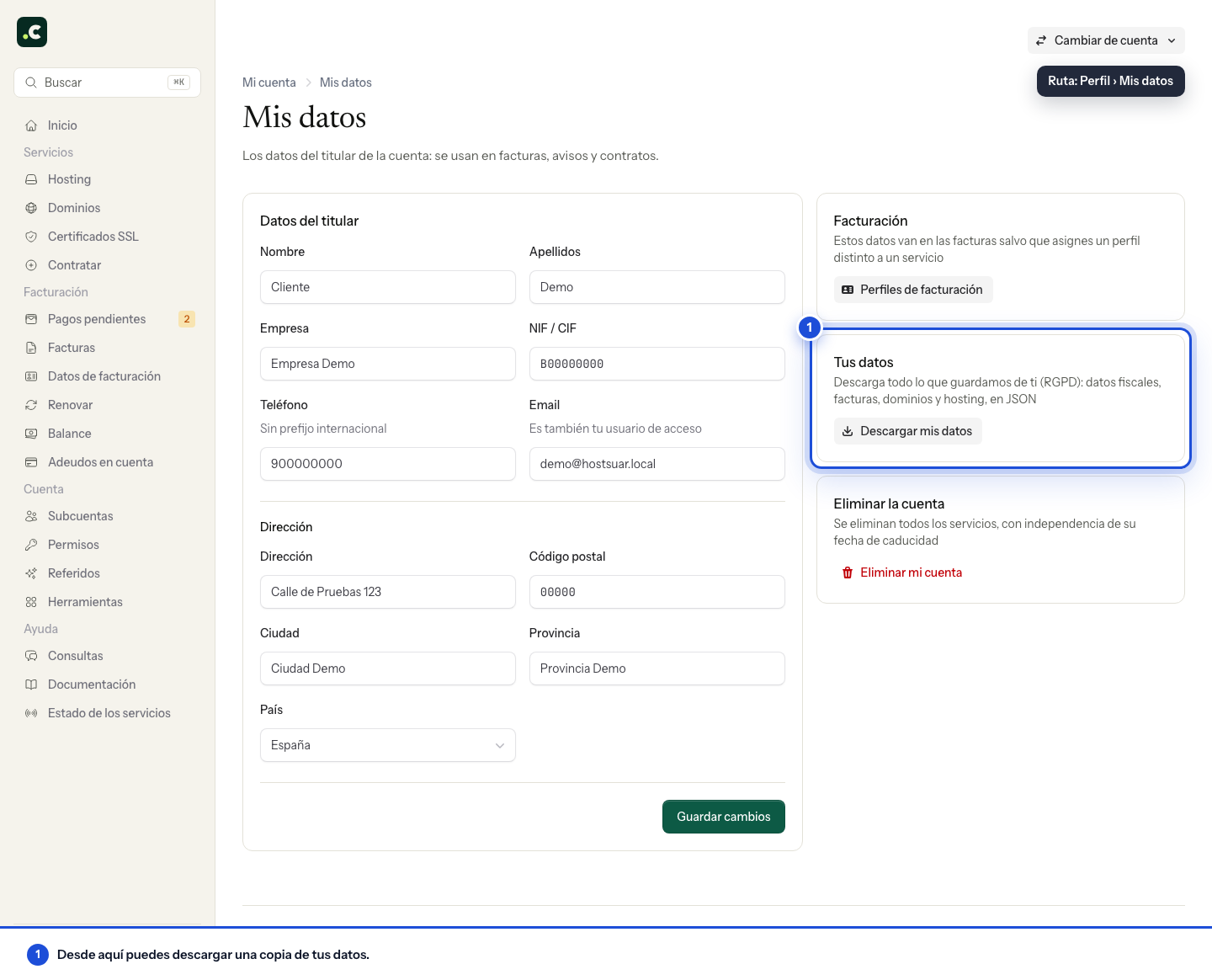
The download belongs to the main account holder. Keep the file somewhere private: it contains personal and tax data and must not be published as an attachment on a website.
Check that you can open the JSON with a text editor and that it contains the information you expect. It is a copy of the data at the time of download; it does not update itself and it is not a hosting restore file.
You may also find useful
- Request deletion of your client account Explains how to request deletion of an account, what to prepare first and why it does not mean data...
- Assign a billing profile to a service Explains how to link a hosting service or domain to a specific profile so that future proforma invoi...
- Billing and payment preferences Summarises the settings available for profile and payment method, reminders and email copies, PDF at...
- Billing profiles Describes what profiles with third-party details are for, how to create several and when to apply th...
Something wrong or out of date? Tell us and we will review it.