

Account, services and billing
Create and manage support tickets
Go to Help → Tickets to review Open, Answered or Closed conversations. The search finds text in the subject and in the messages.
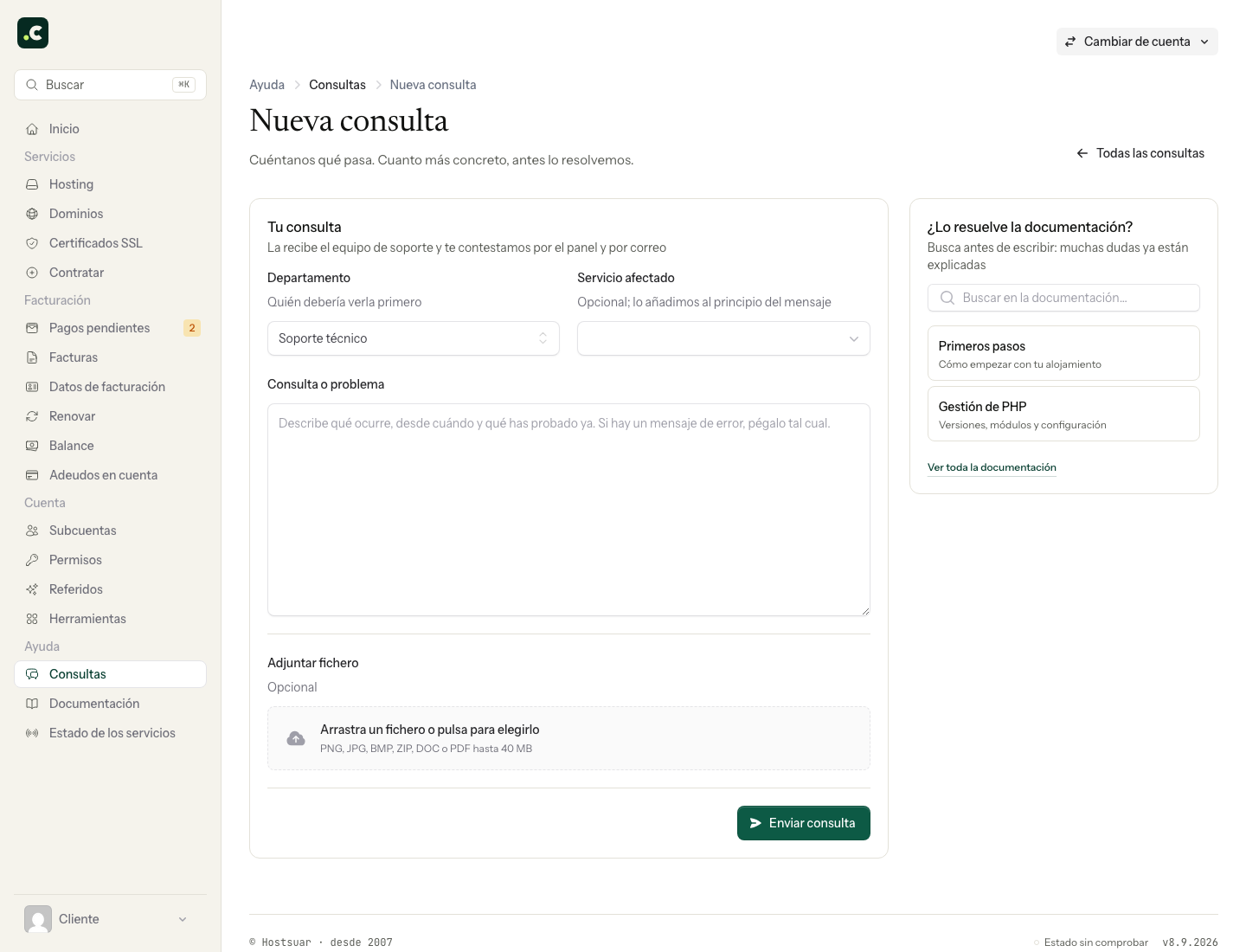
Open a ticket
- Click New ticket.
- Choose the department.
- Select the affected service where relevant.
- Explain what you wanted to do, what happened and since when.
- Attach a screenshot or document if it helps reproduce it.
JPG, JPEG, BMP, PNG, ZIP, DOC and PDF are accepted. The interface allows one file of up to 40 MB; if it contains sensitive data, hide it before attaching. Do not send passwords, Auth-codes or full card details.
Before the team replies, the ticket may show automatic guidance and related documentation. That card does not close the conversation or make any changes.
Reply and close
You can reply while the ticket is in progress. Add new information without repeating the whole thread. When the issue is resolved and the close action appears, you can close it. If it shows In progress, closing is not available while it is being worked on.
A closed ticket can be reopened for 60 days. After that, open another one and quote the earlier reference to keep the context.
Sub-accounts see and manage tickets according to their permissions: only their own, all in read-only mode or all with the ability to reply.
Information that helps resolve the ticket
Include the affected URL or domain, the time with its time zone, the exact error and the steps to reproduce it. Also explain what changes you made before the failure and what you have tried since.
For a payment query, give the proforma invoice or invoice number and the amount. For a bounced email, keep the error message while hiding information unrelated to the case. If there is already a thread about the same problem, reply there to keep the evidence and checks together.
You may also find useful
- Add and check account credit in the client area Generate a proforma invoice to add credit, check when it becomes available and decide how to apply i...
- Assign a billing profile to a service Explains how to link a hosting service or domain to a specific profile so that future proforma invoi...
- Available payment methods Lists the ways to pay and explains the current restrictions on Bizum, PayPal and direct debit.
- Billing and payment preferences Summarises the settings available for profile and payment method, reminders and email copies, PDF at...
Something wrong or out of date? Tell us and we will review it.