

Hosting and cPanel
Managing add-on services
An add-on service can be a dedicated IP, blocks of space or another add-on linked to a hosting plan.
You manage them from the client area. Open the hosting service and go to Plan and add-ons to see each add-on, its cost, status and renewal date.
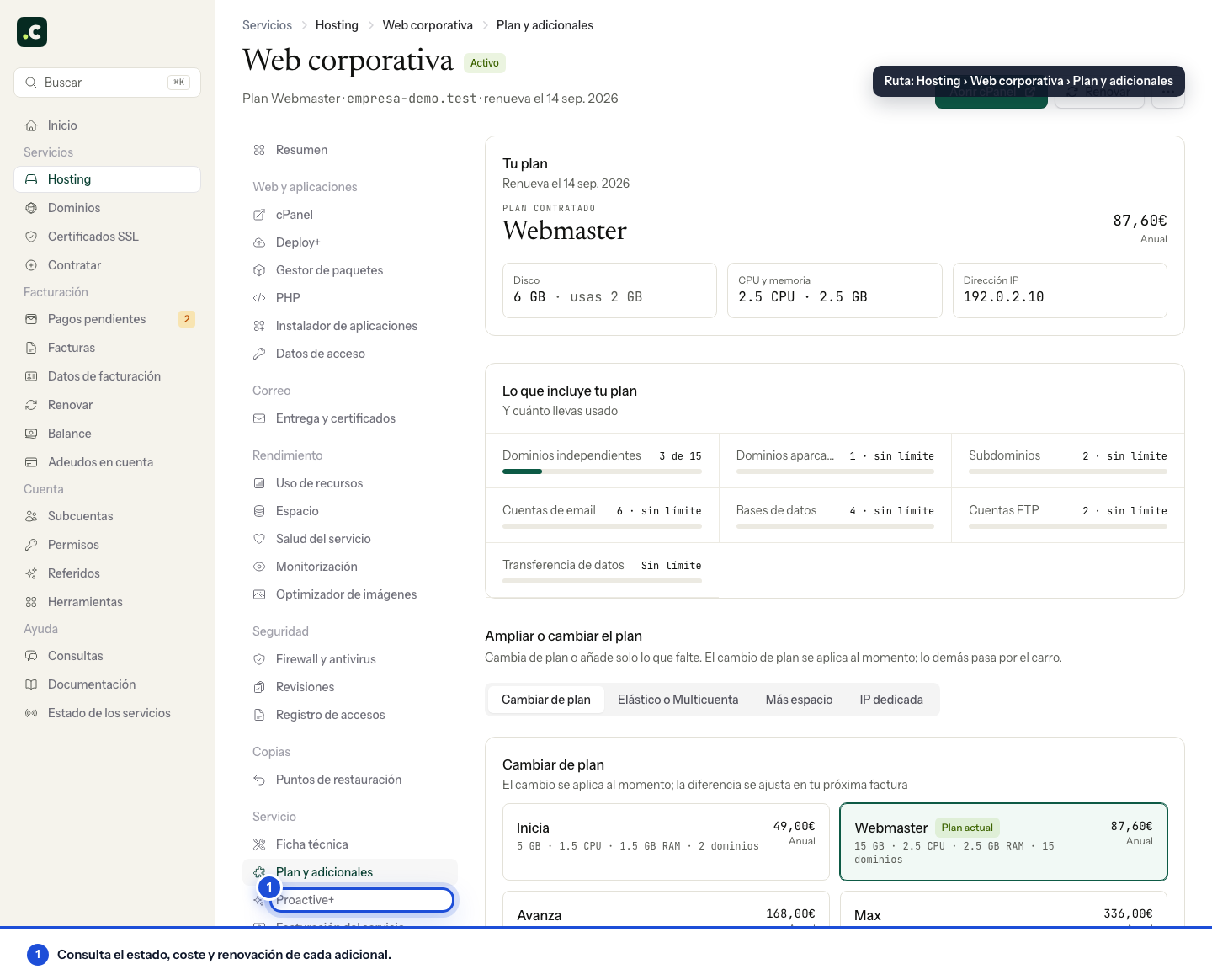
Add-on services have the same renewal date and billing cycle as the hosting they belong to.
Cancel an add-on service
In the list of active add-ons, click Cancel next to the one you do not want to renew and confirm. The cancellation:
- Turns off its next renewal, but does not remove it immediately.
- Keeps the extra capacity or feature until the hosting's renewal date.
- If the payment request can still be changed, removes its line and recalculates the proforma invoice when it contains other services. If the direct debit has already been sent to the bank and cannot be cancelled, the cancellation is recorded for the next renewal, but you will need to contact support to review the pending charge.
Until that date you can use Undo cancellation to reactivate the renewal.
If you cancel disk blocks, first reduce usage below the space the plan will have after the cancellation. The cancellation does not delete files automatically, but an account that remains over its quota will not be able to work normally when the add-on ends.
If the Cancel button does not appear
Only active paid add-ons can be cancelled directly. The plan's structural resources are managed from Plan and add-ons, and Proactive+ from its own section. Free, pending, already cancelled or ended add-ons do not show the same action.
Review dependencies before cancelling
If you remove a dedicated IP, confirm how it will affect DNS and the access lists of external systems. If you remove CPU or memory resources, check that the load fits within the limits that will remain.
After requesting the cancellation, check that the add-on is shown as non-renewing and note its end date. If you need to keep it and Undo cancellation no longer appears, contact us before assuming it is still available.
You may also find useful
- Package manager Install, update or remove Node.js for builds, FFmpeg for media, Redis for caching and persistent Red...
- Available data centres See the hosting's main location in Amsterdam and what to check if your project requires a specific r...
- Configuration details and general information for a hosting service Find your hosting's own details in the client area to connect by FTP, set up email, log in to cPanel...
- Getting started with your hosting: set up your website and email Open your hosting and follow the right path to create a website, move an existing one or set up emai...
Something wrong or out of date? Tell us and we will review it.