

Hosting and cPanel
Increase the space on a hosting service
There are two ways to get more space on an account: upgrading to a higher service or adding extra space.
To add space, go to the client area, open Hosting, open the relevant service and select Plan and add-ons.
In the Upgrade or change plan block, open the More space tab. There you have the Additional gigabytes field, starting at 1 GB with a maximum of 50 GB per request. As you change the figure you will see the cost and what your disk would become; to finish, click Add to cart.
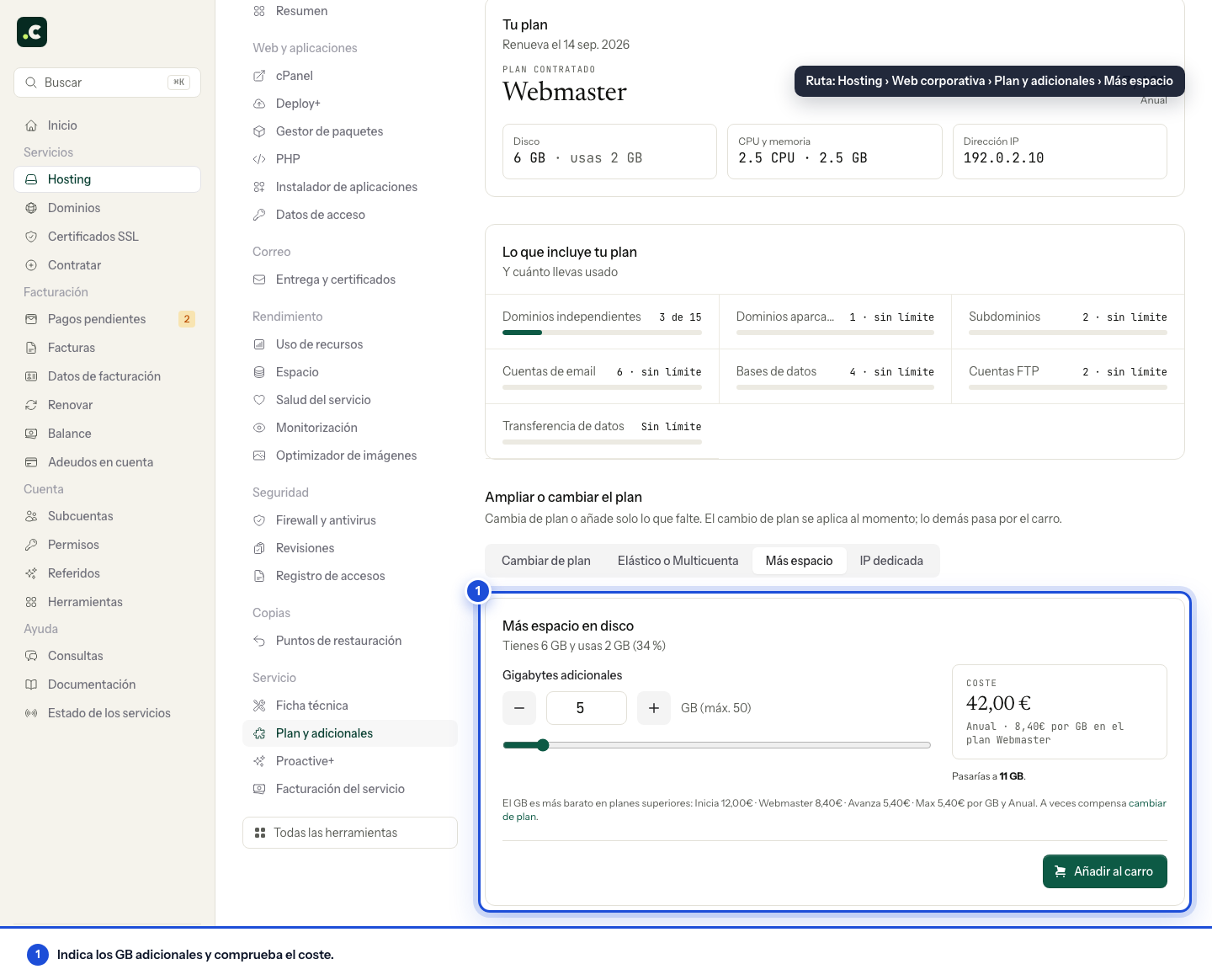
The space is billed at the same interval as the hosting service. The cost per 1 GB differs for each hosting service and is lower on higher services; below the form you have the price per GB for each plan, because sometimes changing plan pays off more than adding gigabytes.
On an Elastic plan this tab does not appear: disk is one of the three controls in Elastic plan, and you increase it from there.
After you request it
Review the initial amount and the cost of subsequent renewals before confirming the cart. Wait for activation and go back to Space to check the new quota; do not repeat the order just because an earlier reading still shows the old limit.
The upgrade increases the hosting's capacity. If a mailbox or an FTP account has its own lower quota, review that limit too: it does not necessarily increase automatically.
If you only need headroom for a one-off clean-up, first check whether the temporary increase is available to you. For sustained growth, use permanent capacity.
You may also find useful
- Temporary disk space increase Get temporary disk headroom for 72 hours from the panel, check the quota applied and fix the usage b...
- Disk space notifications - cPanel and client area Understand the thresholds, recipients and frequency of cPanel and client area space alerts, includin...
- Free up hosting space from the client area Find caches, trash folders and backups that take up space, review what you can delete and check how...
- Access the cPanel control panel Open cPanel from your Hostsuar account without typing another password, find its credentials and fix...
Something wrong or out of date? Tell us and we will review it.