

Domains and DNS
Change the holder of a .es domain from nic.es
Red.es (nic.es), the body that regulates the .es extension, treats a change to the holder's name or company as a transmisión (transfer of ownership) of the domain. That is why it cannot be done from our client area: it has to be processed at nic.es.
Changes that do not affect the holder's name or company (email, phone, address...) are made the usual way from our client area.
1. Check the administrative contact's details
The whole procedure is carried out by the domain's administrative contact (PCA), and the notifications go to their email. Before you start, log in to our client area and check their details (email, first name, surname, Tax ID) from the domain's whois change option. If anything is wrong, correct it before you continue.
2. Get the administrative contact's access to nic.es
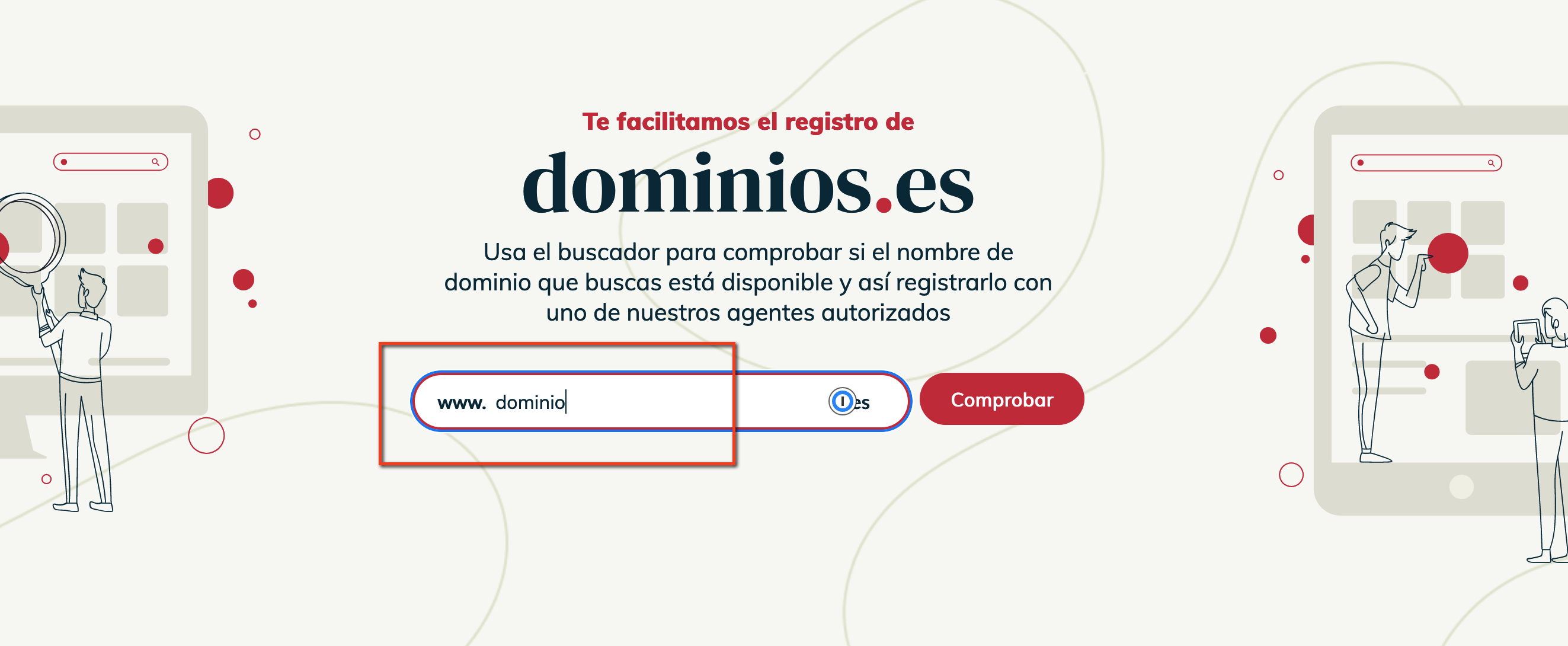
Go to dominios.es, type the domain in the search box in the central area and click Comprobar (Check).
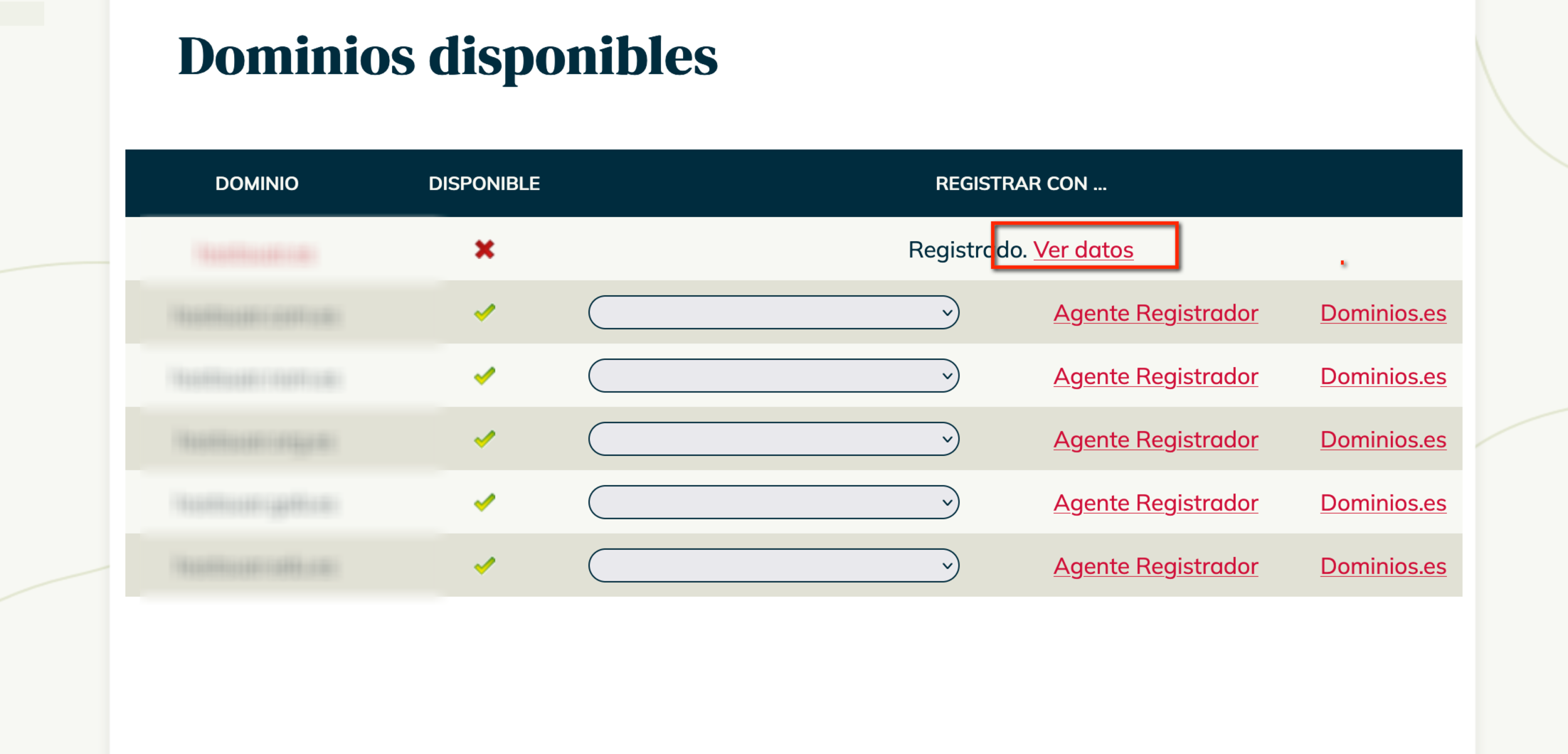
It will show as unavailable. Click Ver datos (View details).
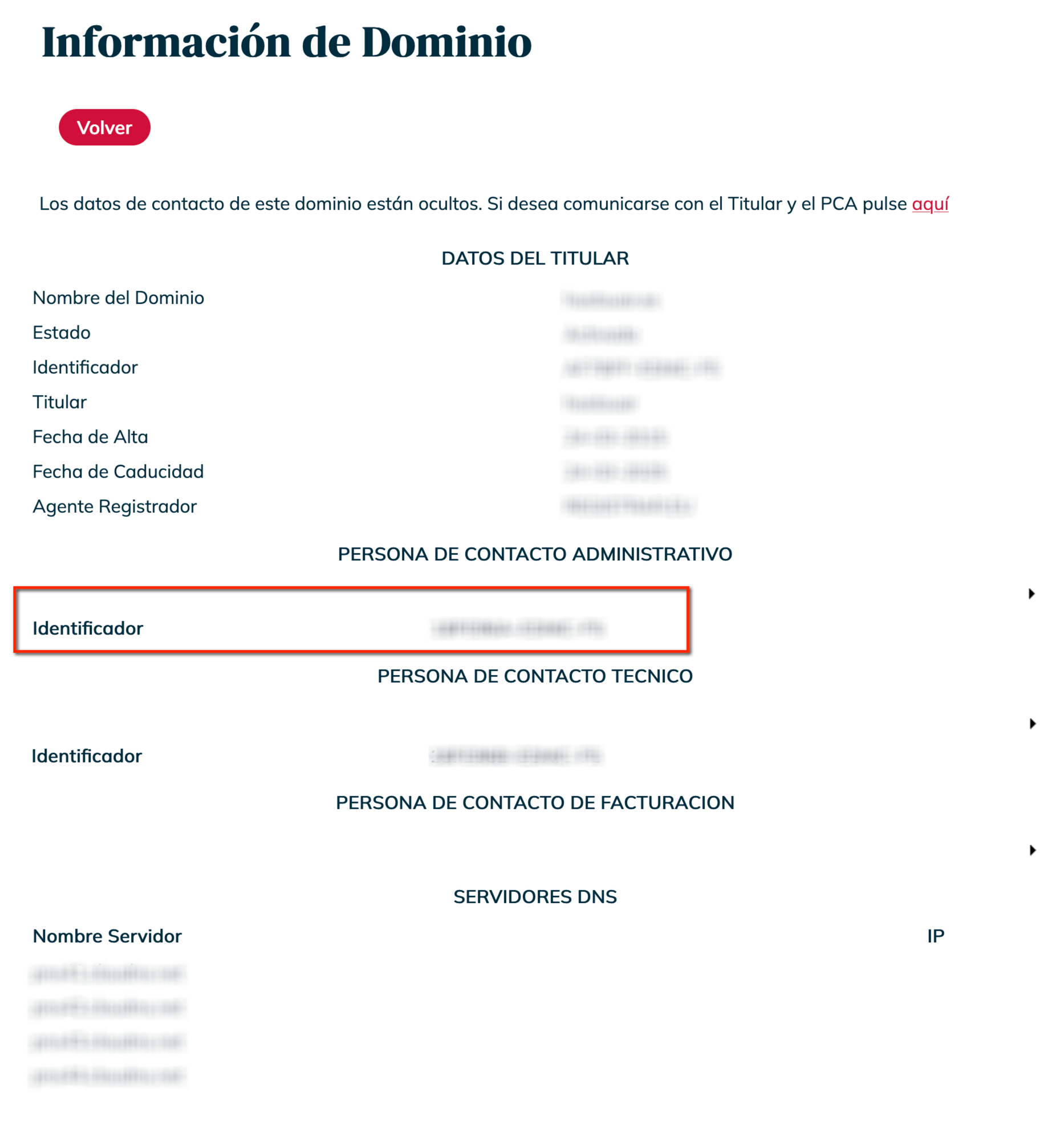
In the domain information, copy the identifier of the administrative contact.
Go to the nic.es password recovery page, enter that identifier and follow the email you receive to create a new password.
With the identifier and the password you can now log in to the nic.es management area.
3. Register the new holder
The new holder needs their own identifier at nic.es. Create it on the contact registration page with the new holder's details (name or company name, Tax ID, address and email). You will receive an email to activate it and you will be given an identifier: keep it for the next step.
4. Request the transfer of ownership
-
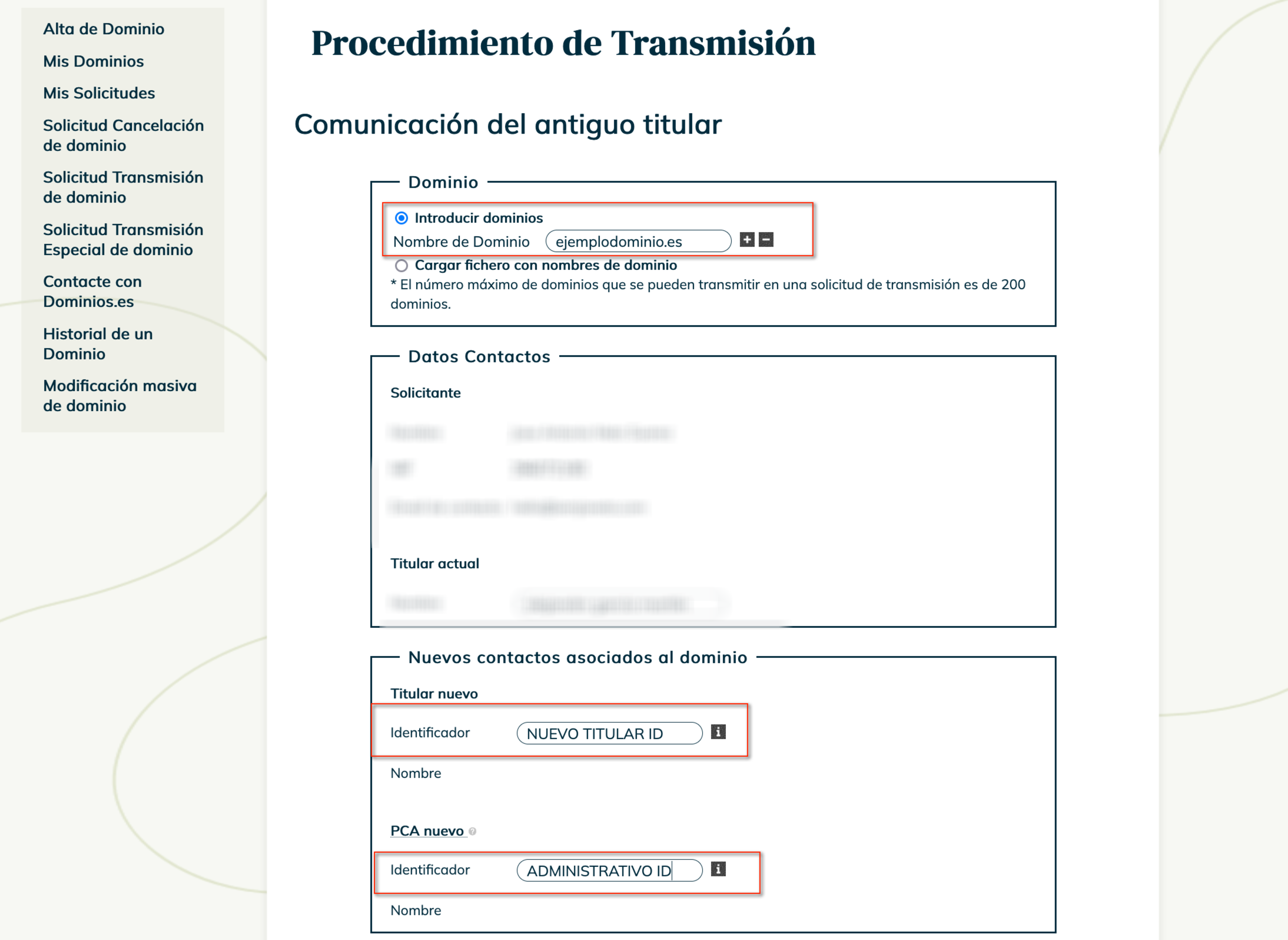
Log in to the nic.es management area with the administrative contact's identifier and password (not the new holder's) and open Solicitud Transmisión de dominio (domain transfer of ownership request).
-
Enter the domain and the identifiers:
- Titular (holder): the one you have just created for the new holder.
- PCA: that of the administrative contact you logged in with, which does not change.
-
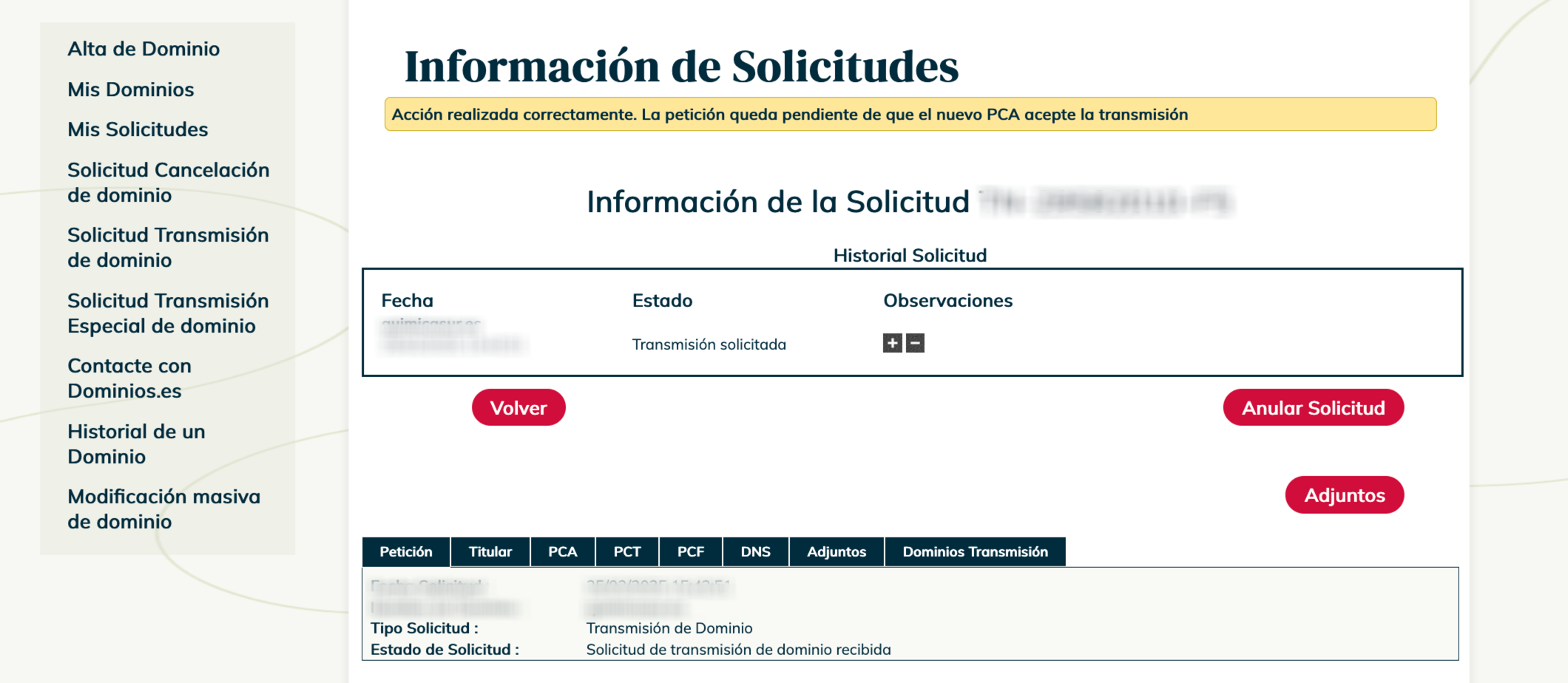
When you save, it will ask you for a copy of the administrative contact's Tax ID document. You can also sign with an electronic certificate or electronic ID card (DNIe). You will see a notice that the request has been registered:
-
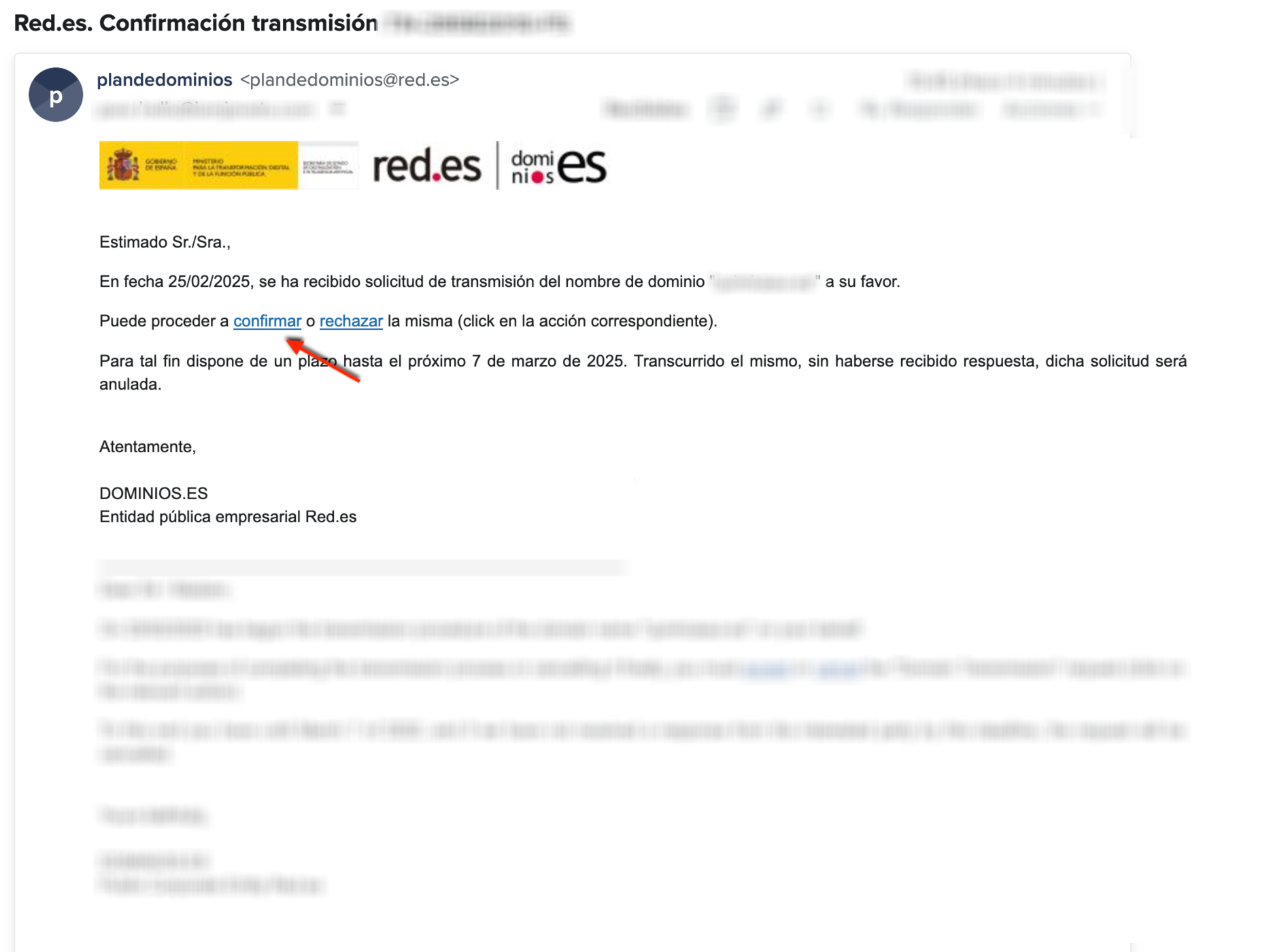
The administrative contact will receive an email to approve the process.
-
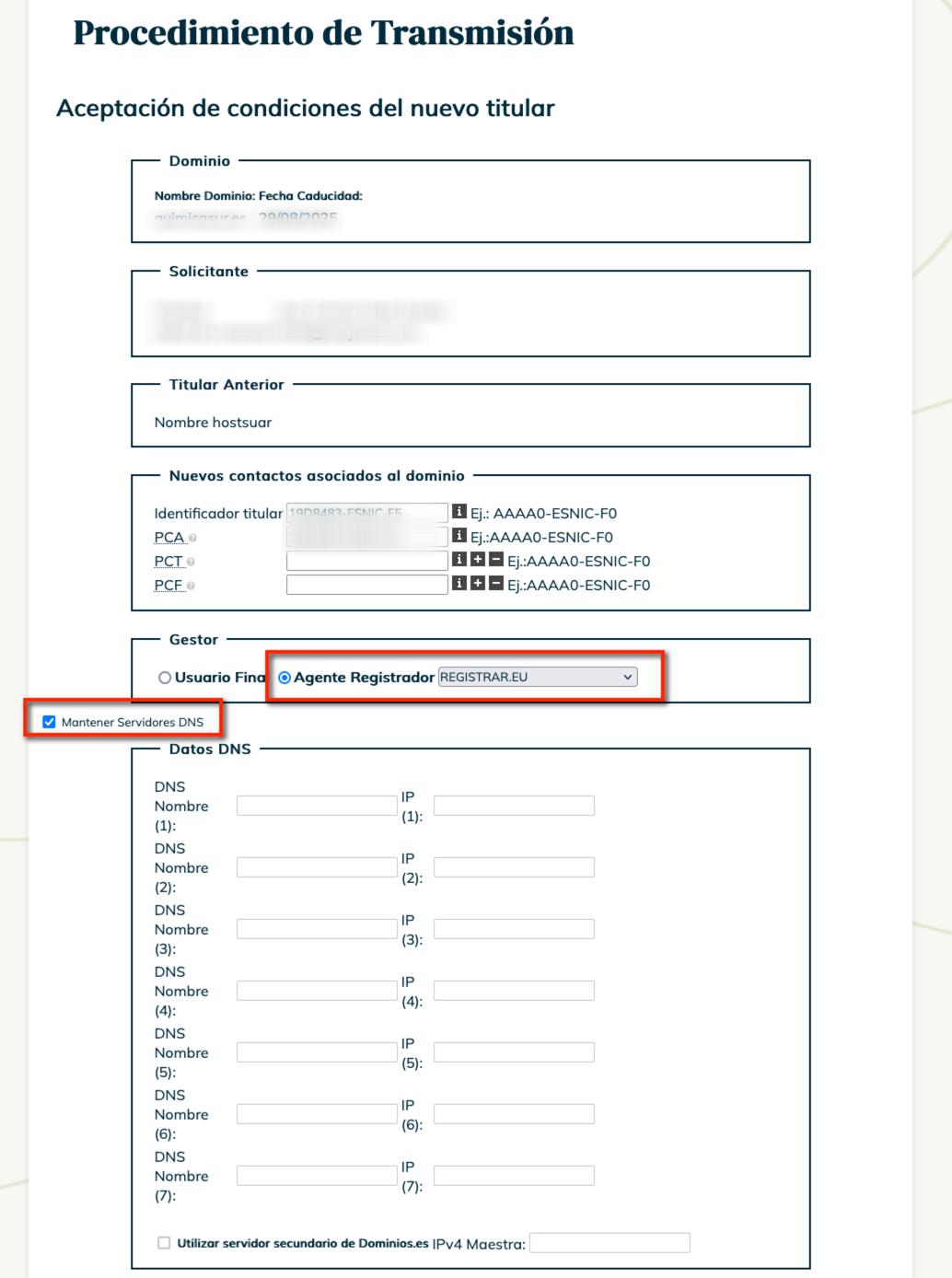
The link in the email takes you to a form at nic.es to formalise the change. Under Agente registrador (registrar agent), select REGISTRAR.EU. This is very important: if you do not select it, the domain will be managed directly at Red.es and will no longer be with us (or be renewed from your client area). Leave the other options, such as Mantener servidores DNS (keep DNS servers), as they are.
-
It will ask again for the administrative contact's ID document (or electronic certificate / DNIe). When you finish you will see the message Acción realizada correctamente. La petición queda pendiente de revisión por parte del AR (action completed successfully; the request is pending review by the registrar agent).
-
Contact us so that we can approve the request as registrar agent. Without this step it never reaches Red.es.
5. Approval by Red.es
Once we approve it, Red.es reviews the change and confirms acceptance to the new holder and the previous one. It usually takes between 3 and 5 days.
When it is done, check on dominios.es that the holder is the new one and that the DNS has not changed. If the domain also has to move to the new holder's client account at Hostsuar, that is a separate procedure: transfer a service to another client.
You may also find useful
- Red.es notice about incorrect details on a .es domain You have received a notice from Red.es because your .es domain's holder details are incorrect: what...
- Am I the owner of the domain? Check who is listed as the registrant and tell their rights of use apart from panel access, paying i...
- Resolve the «pending ICANN verification» notice on a domain Resolves the suspension for not validating the holder's email: request the registrar's message again...
- Update a domain's holder and contacts Shows where to update, from the client area, the holder details and the administrative and technical...
Something wrong or out of date? Tell us and we will review it.