

Domains and DNS
Resolve the «pending ICANN verification» notice on a domain
The message You have reached a domain that is pending ICANN verification usually means the domain's contact verification has not been completed. The registrar may suspend it if it is not verified within the applicable period, normally 15 days from the request.
The request may appear after a registration, a transfer, a change of details or an issue about their accuracy. The message is sent by the registrar or its reseller, not by ICANN directly.
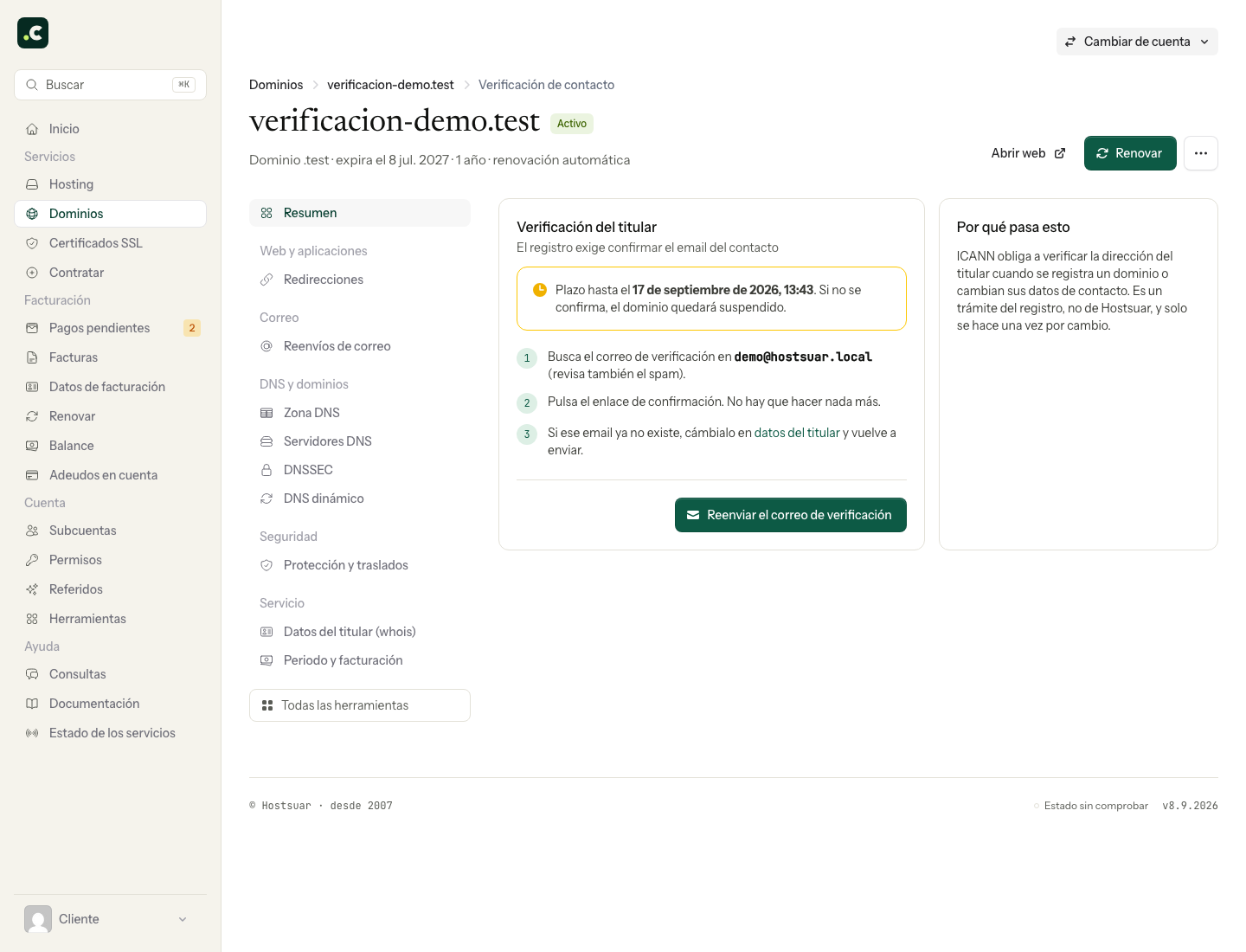
Resend the verification
- Go to the client area through an address you know.
- Open Domains and click Manage next to the affected name.
- In the Pending contact verification notice, click Complete the process.
- In Holder verification, use Resend verification email.
- Check the right mailbox, including the spam folder, and complete the provider's verification.
If the message does not arrive
Check the holder details. If the email is no longer under your control or depends on the suspended domain itself, ask us to review how to update and verify it. Do not keep requesting resends to an address that cannot receive them.
Confirm the reactivation
After verifying, check that the registrar confirms the process and that the issue disappears. Old DNS answers may stay cached for a while. If the notice persists, tell us the domain and the approximate time of the confirmation, without copying the private verification link.
Renewing the domain or changing its hosting is no substitute for this procedure. Do not confuse it with the annual reminder to review details either, which does not require a new validation when it only reminds you to review information that is already correct.
You may also find useful
- Am I the owner of the domain? Check who is listed as the registrant and tell their rights of use apart from panel access, paying i...
- Change the holder of a .es domain through Red.es Explains the transfer of ownership of a .es domain at nic.es: create the new contact, verify the req...
- Correct a Red.es notice about incorrect holder details Tells the prior request apart from a cancellation case file, checks its deadline and corrects the de...
- Download the Hostsuar ownership document Shows how to download from the client area an informative document with the holder details on record...
Something wrong or out of date? Tell us and we will review it.