

Security and SSL
Recover cPanel access and password
If you do not remember your cPanel password, first log in to the client area with your client account credentials. They are separate logins.
View the service details
Open Hosting, select the service and go to Login details. Check the main user and the domain so that you do not change another account. On a multi-account plan, first select the relevant account.
The screen lets you show the stored password and log in to cPanel directly. If that password has changed or no longer works, use Change password to set a new one. You do not need to know the old one to follow the authorised route from the client area.
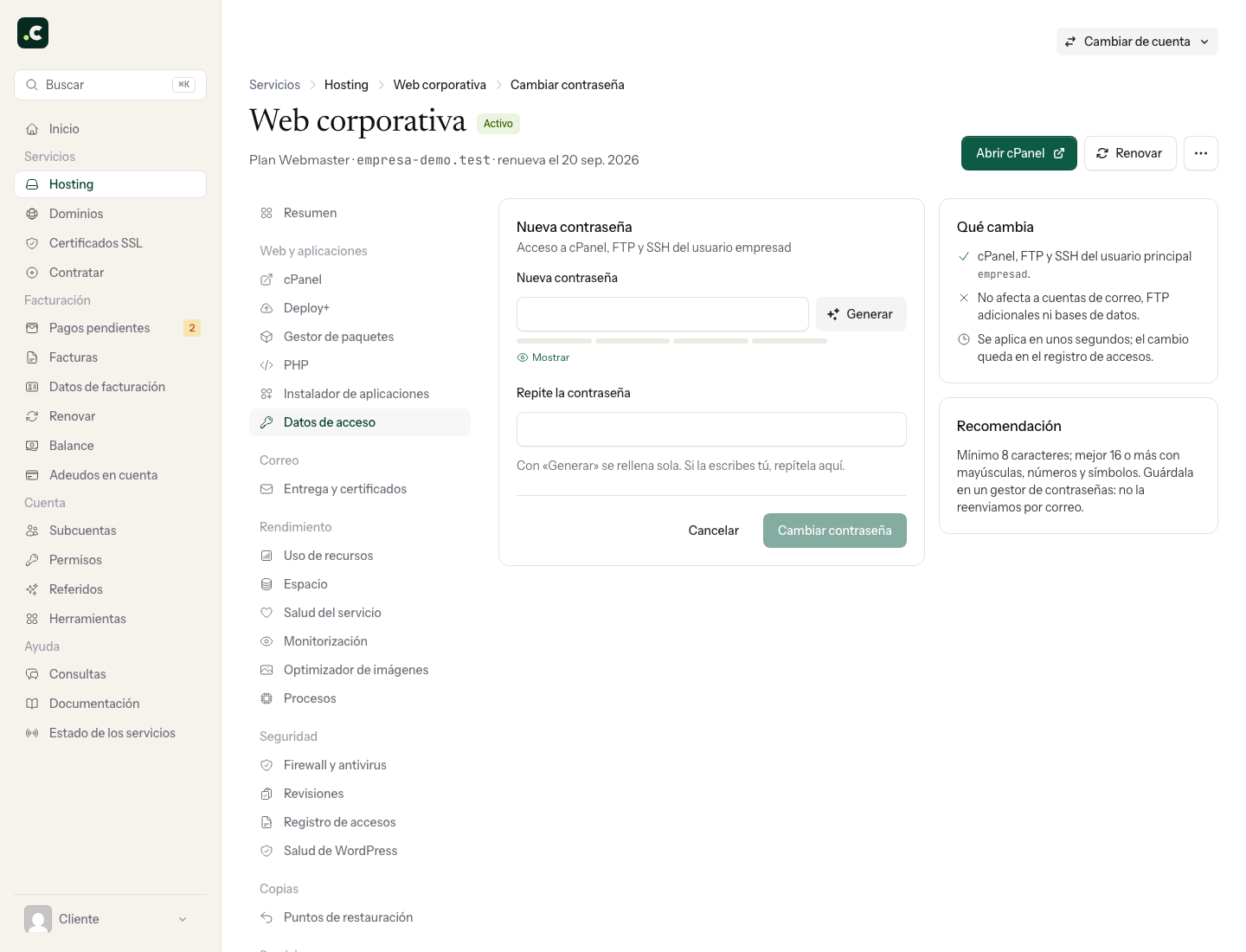
Store the new password privately and confirm the change. For the full procedure, see change the cPanel, FTP and SSH password.
Check what you need to update
The change affects the main user's password. Update the FTP or SSH clients and tasks that use it. It does not automatically change the passwords for email, additional FTP, databases or applications.
Showing the stored password does not check that the server accepts it. If a newly set password fails, give support the user, service, time and error; do not send the password or a screenshot showing it.
If you cannot log in to the client area either
Use the password recovery on its login screen. If the problem is the second factor or an IP restriction, follow the corresponding recovery or contact support through your account's channel. Changing the cPanel password does not fix a client area login block.
You may also find useful
- Change the main cPanel, FTP and SSH password Change the hosting's main credential and check which connections need updating afterwards.
- Leech Protection: scope and compatibility with LiteSpeed Learn what Leech Protection controls in protected directories and why you should not rely on this fe...
- cPanel Password & Security: what it changes and where to do it Tell the hosting's main password apart from other credentials and choose the right way to change it...
- Exclude a directory or file when protecting a directory with a username and password Shows how to exclude a specific file from basic authentication with a Require rule in .htaccess with...
Something wrong or out of date? Tell us and we will review it.