

Hosting and cPanel
Manage Team, creating sub-accounts and roles for cPanel access
Manage Team lets you create additional users with their own cPanel access, so your developer, your agency or a colleague can log in without you having to give them the main password. Each user only sees the options for the roles you assign them.
These aren't the sub-accounts of the Hostsuar client area (those give access to invoices and services), but users of cPanel itself.
You'll find it in cPanel, in the shortcut on the left-hand sidebar or in the Preferences > Manage Team section:
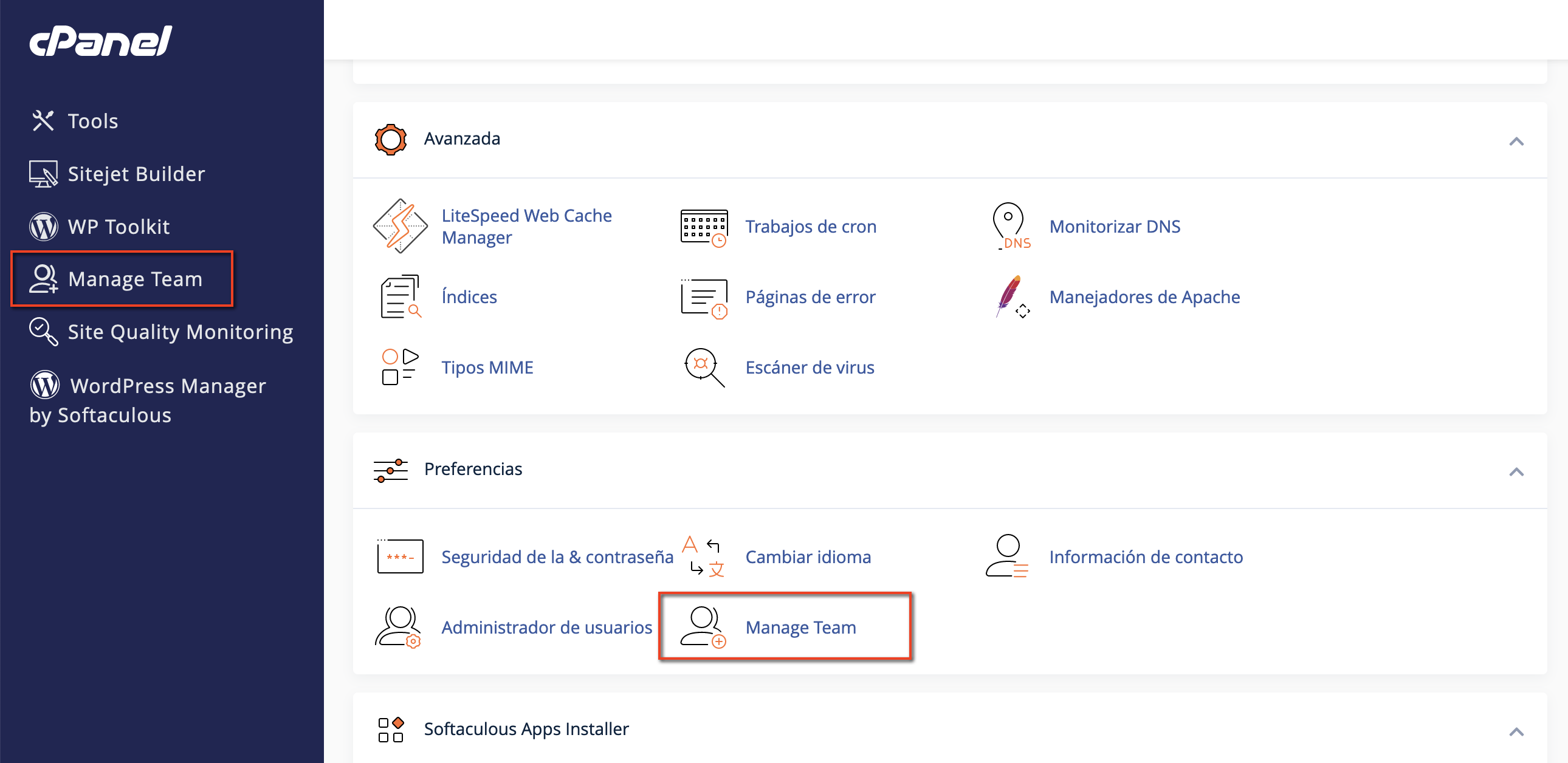
User list
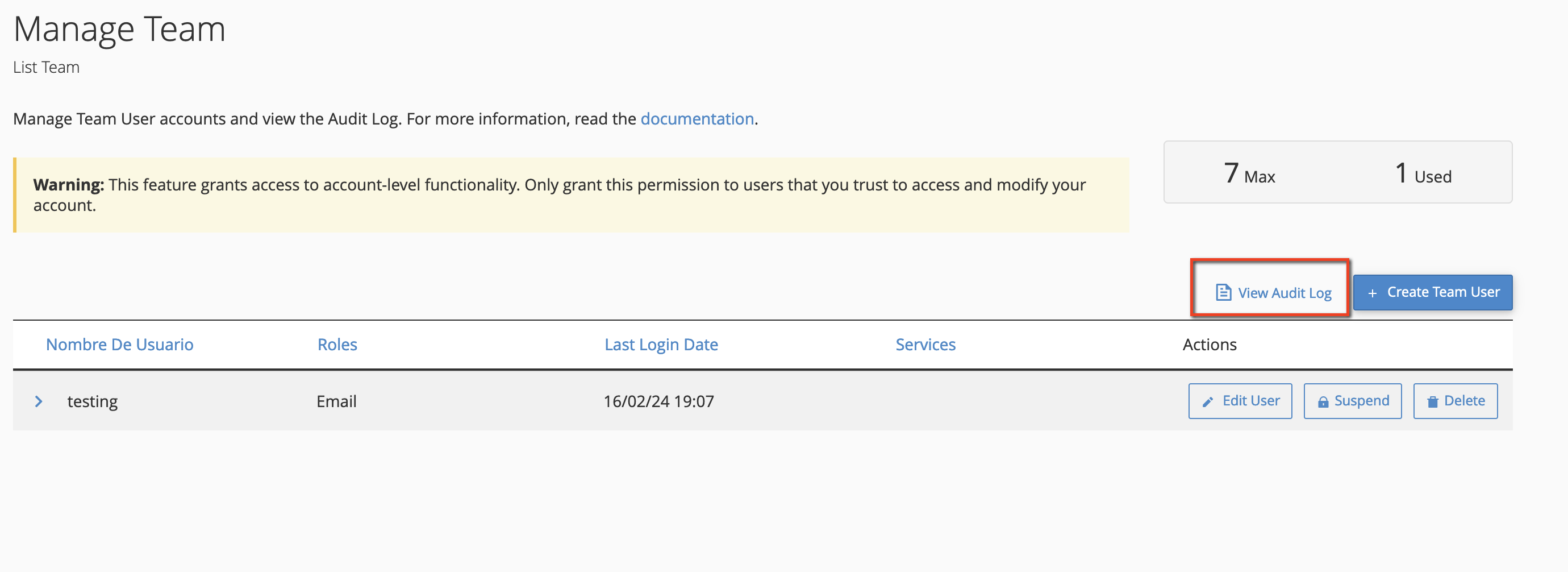
When you open it you'll see the users you've created, with each one's role, their last login and their associated services (for example, whether they also have an email account). From here you can edit a user, suspend them so they can't log in, or delete them.
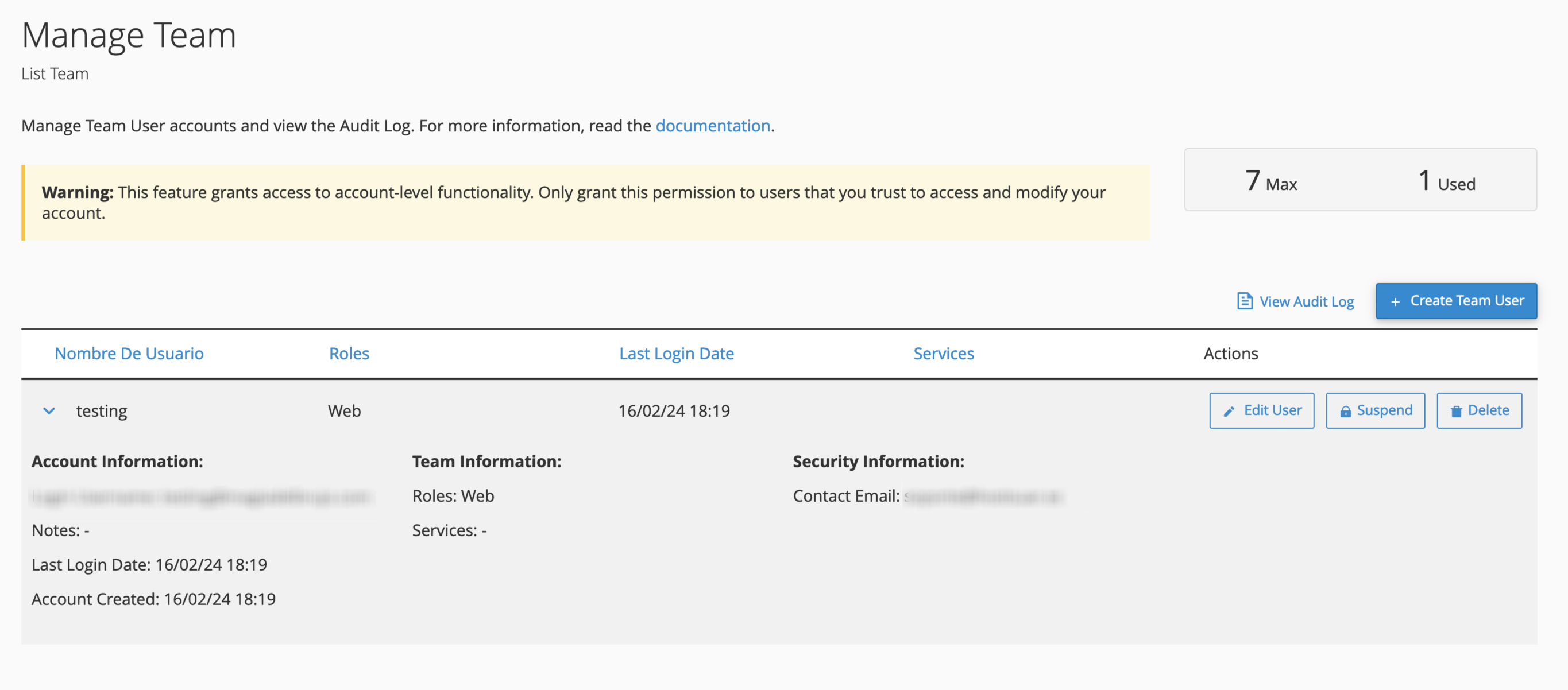
Create a user
Click Create Team User and fill in the form:
- Username: the name they'll log in with. The full username will be that name plus
@yourmaindomain.com, for examplemaria@yourdomain.com. - Password: select Set the user's password to set it yourself, or The user will set the account password so they receive an email and choose it themselves.
- Contact email: that person's email address, where they receive the invitation and notifications.
- Notes: what the access is for, so you can recognise it later (for example, "Web agency, 2026 redesign").
- Roles: the permissions. You can combine several:
- Administrator: almost all cPanel features, like the main user.
- Database: MySQL databases and phpMyAdmin.
- Email: email accounts, forwarders, filters and everything related to email.
- Web: domains, redirects, files and backups.
Click Show features next to each role to see exactly which options it includes.
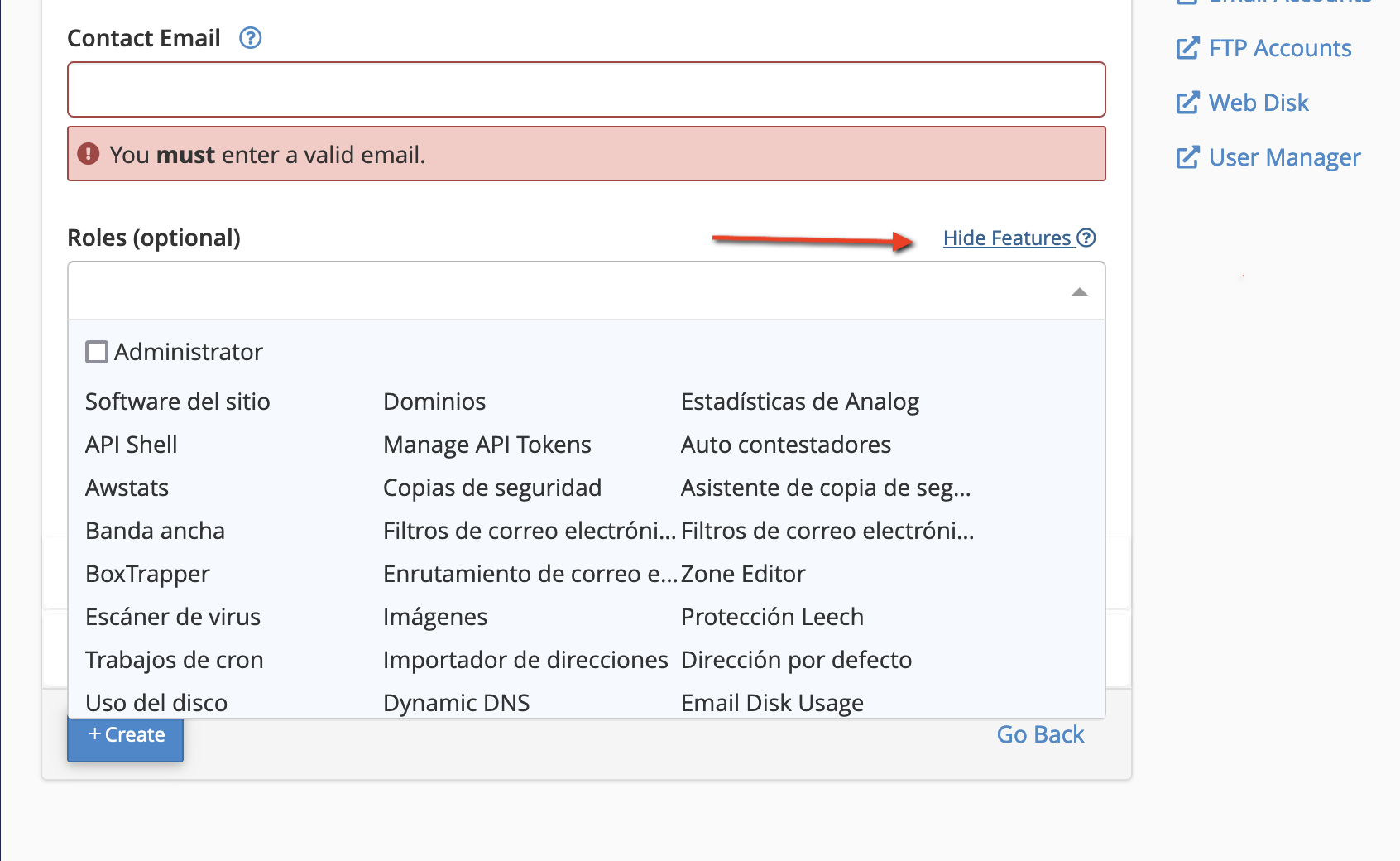
Below there are two more sections:
- Services: if you want that user to also have their own email, FTP or Web Disk account. They're turned off by default.
- Security: an expiry date after which the user is deactivated. Always use it when the access is for a specific job.
You can create up to 7 users with roles. Suspending a user doesn't free up their slot: if you need the space, delete them. If you need more, get in touch with us.
How the new user logs in
They log in at the usual cPanel address, https://cpanel.yourdomain.com or https://yourdomain.com:2083, with:
- Username: the full one,
maria@yourdomain.com. - Password: the one you set or the one they chose with the invitation.
They'll only see the options for their roles. This is how cPanel looks to a user with the Email role:
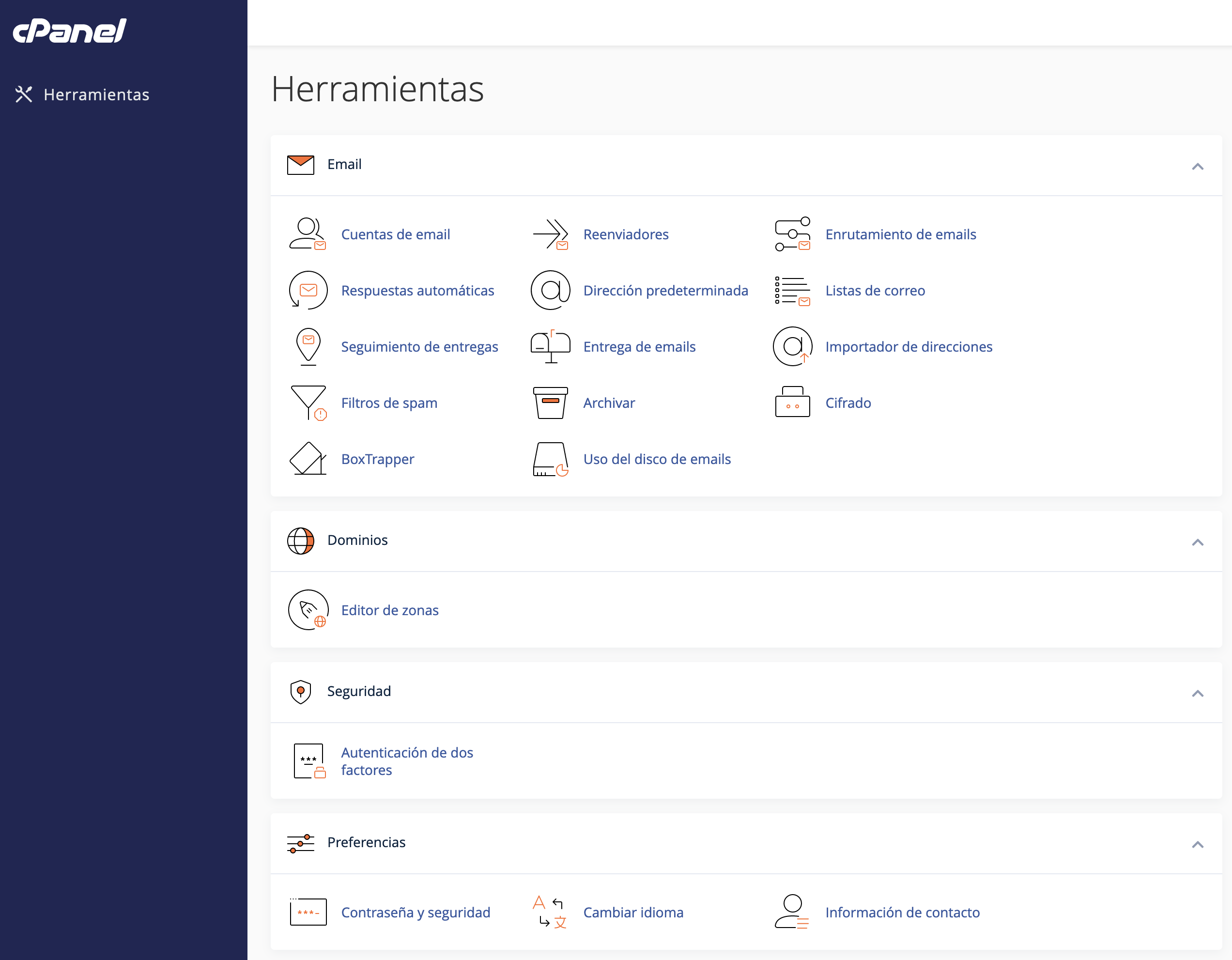
If they're missing an option they need for their work, edit the user and add the role; don't give them the main password.
See what each user has done
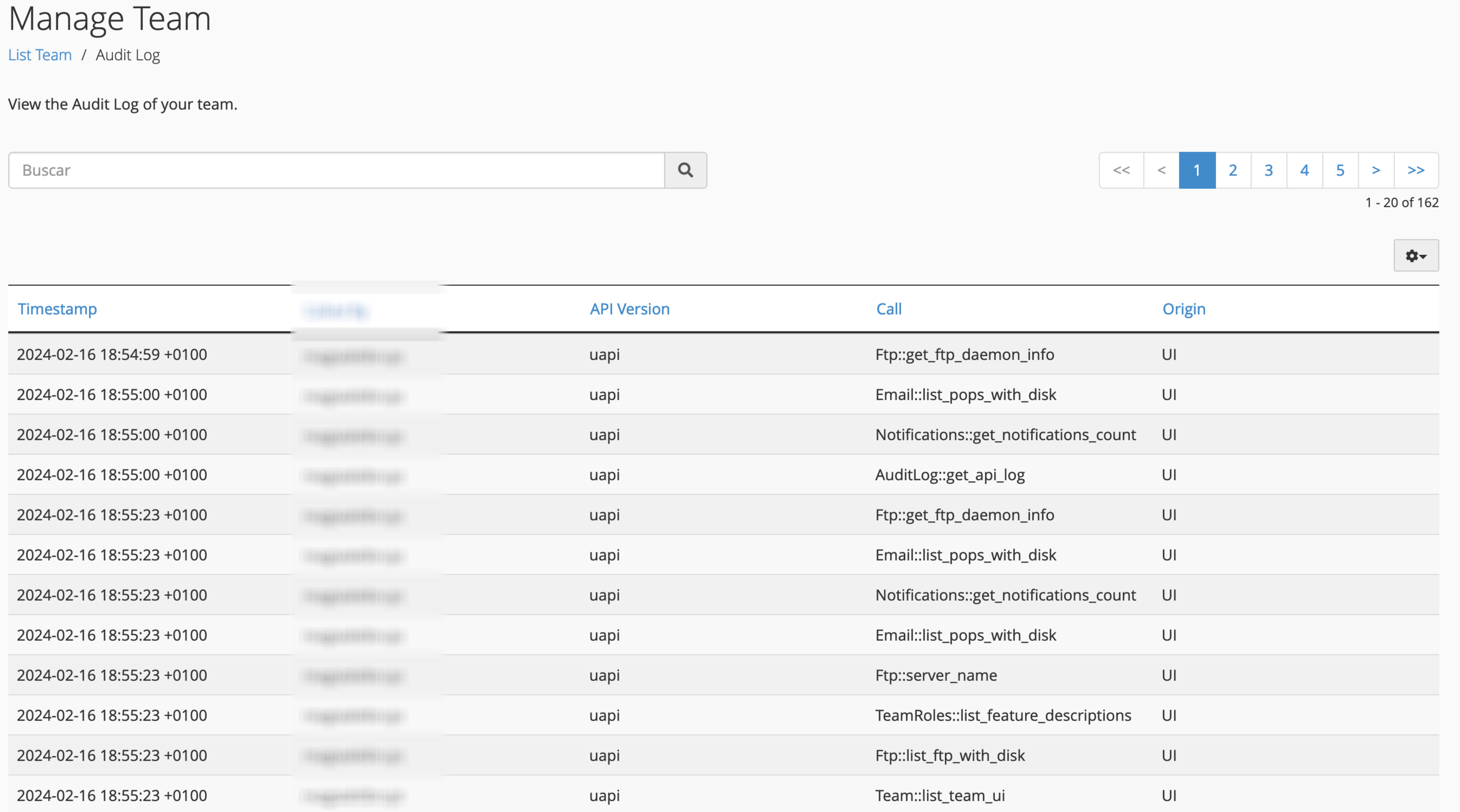
Click View Audit Log to see each user's actions:
Actions are shown with the technical name of the cPanel function that was run (for example, Email::add_pop when creating a mailbox). The name is usually enough to tell what was done:
When the collaboration ends, delete the user and, if they had associated services (email, FTP), check those first.
Limitation: access can't be restricted to a single domain
Roles apply to the whole account: a user with the Web role can see and manage every domain on the hosting, not just one.
If someone only needs to work on one website, give them these accesses instead of a cPanel user:
- Files: an FTP account limited to that website's directory.
- Database: a MySQL user with permissions on that database only, which they can use from phpMyAdmin independent of cPanel or from a program such as TablePlus or HeidiSQL through remote MySQL.
If you manage websites for several clients and want to keep them completely separate, the right choice is a multi-account plan, with an independent cPanel for each one.
You may also find useful
- User Manager See the main user and the email, FTP and Web Disk accounts created in cPanel in a single view to rec...
- Access the cPanel control panel Open cPanel from your Hostsuar account without typing another password, find its credentials and fix...
- Change the primary domain of a hosting account Prepare the primary domain change without losing email or DNS, decide what to do with the old domain...
- Essential directories for the hosting service to work Identify the directories cPanel needs to host websites, email, certificates, logs and backups, and a...
Something wrong or out of date? Tell us and we will review it.