

Domains and DNS
Cancel a domain's renewal
The system usually prepares the proforma invoice within the fifteen days before expiry, unless a request is already pending. If you want to let the domain expire, turn off its automatic renewal, ideally before then.
Go to the client area, Domains section, click Manage on the domain and, in the More actions button in the header of its page (the one with three dots), choose Cancel domain.
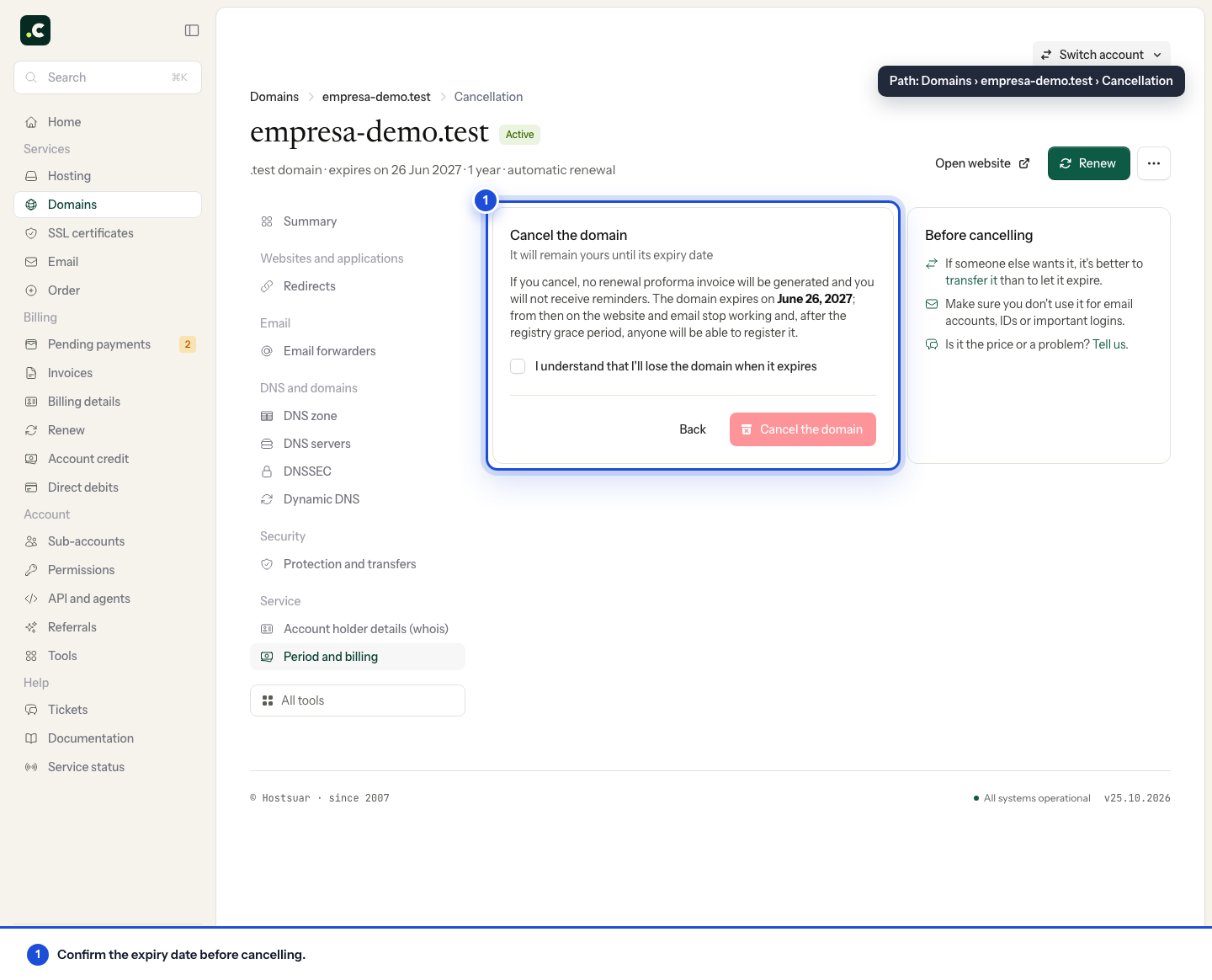
This action does not delete the domain straight away: it stays active until its expiry date. If the proforma invoice already exists, the system will try to withdraw it and cancel any pending charge. When a direct debit can no longer be cancelled, the proforma invoice may stay open and you will need to contact support.
Check before letting it expire
Check whether that name receives email, is used as the recovery address for other accounts or keeps useful links and redirects. If you only want to change provider, request the transfer while the domain can still be transferred; letting it expire is not a required step of the transfer.
After cancelling, check the renewal status and any payments in progress. Cancelling the domain does not automatically cancel the hosting or delete its files. If you change your mind, reactivate the renewal while the status allows it and check that the request is completed.
You may also find useful
- Renew, recover or transfer an expired domain Tells transfer, renewal, redemption and new registration apart according to the status of an expired...
- Respond to a Red.es special cancellation procedure Guides you through responding to a cancellation opened by Red.es: recover the holder's access, corre...
- Expiry and recovery stages of a generic domain Breaks down the grace, redemption and deletion periods of a generic domain, with their recovery opti...
- Manage the domain list and export it to CSV Filter domains by status, open their page and export active domains with their renewal, period, pric...
Something wrong or out of date? Tell us and we will review it.