

Domains and DNS
Update a domain's holder and contacts
In Account holder details you can review the contacts the provider supports for the domain: holder, administrative and technical. These are registry details, separate from the billing profile on an invoice.
Because these details matter so much, always keep them up to date.
To make any change, go to the client area, Domains section, find the domain in the list and click Manage. In the side menu of the domain's page, under Service, open Account holder details. The screen has a block for each contact (Holder, Administrative and Technical), each with a Use the same details as selector to copy another contact's details, and you confirm with Save holder details.
The option only appears when the extension allows these contacts to be changed from Hostsuar. For .es domains, changing the holder's name or company requires a domain transfer of ownership. For generic extensions (.com, .net, .org…), changing the holder's name, company or email does not lock the domain's transfer to another provider: the change is processed with an opt-out of the 60-day lock provided for by ICANN. The previous and the new holder both receive a notice of the change, which they do not need to answer.
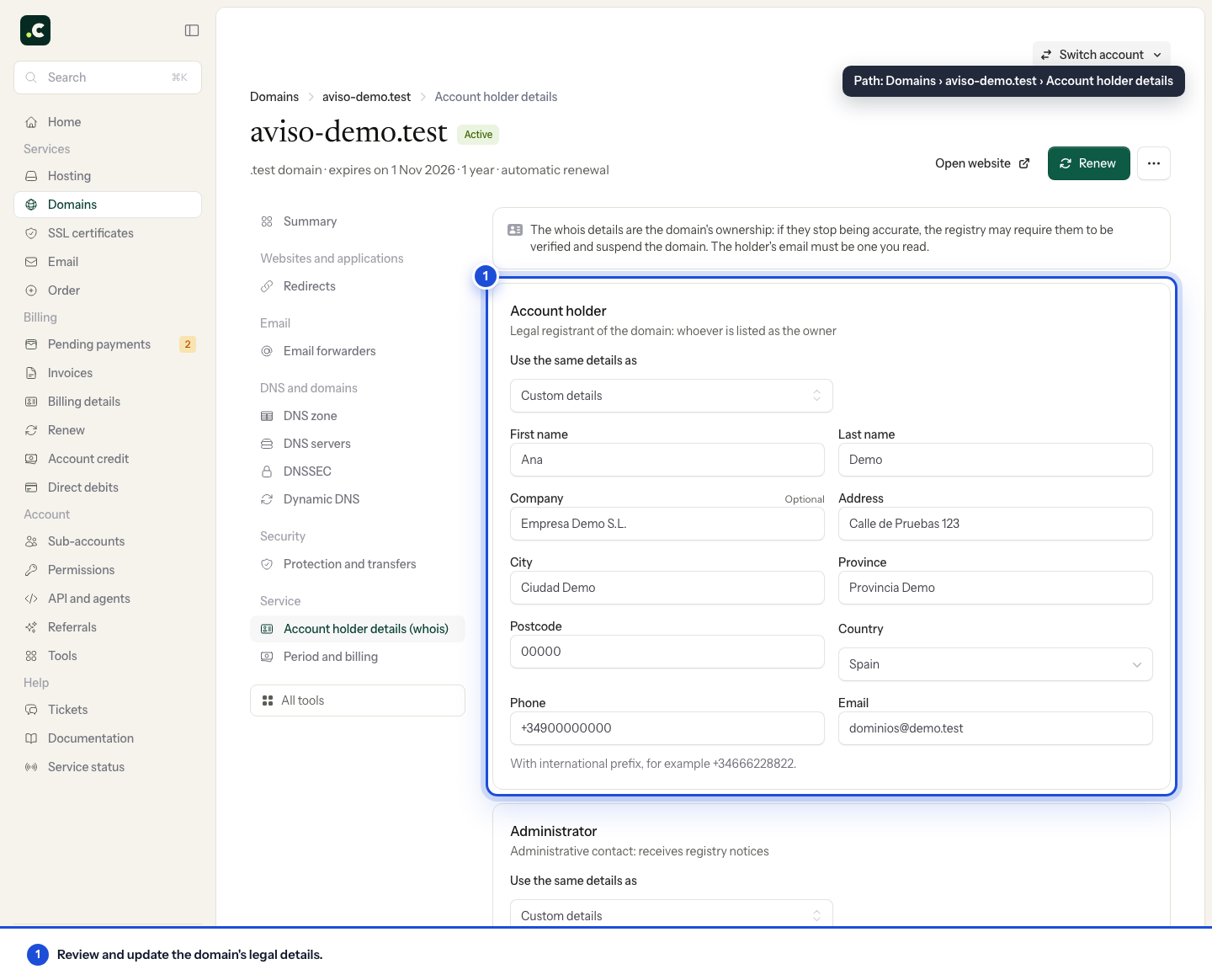
Before and after saving
For the holder, use an email address you control that does not depend on the domain itself. On a generic extension, if you change that email to one that had not been verified, the registrar sends the new address a link to confirm it. Confirm it as soon as possible: the deadline may be as short as 7 days and, if it runs out without confirmation, the domain is suspended and the website and email stop working, although it remains registered. If this happens to you, follow the holder verification guide.
The Use the same details as selector copies details into the form. Do not assume it keeps that contact or your account details permanently in sync.
Open the domain's page again and check the result. A public RDAP or WHOIS lookup may hide fields for privacy, so it is not enough to confirm that all the internal details are correct.
You may also find useful
- Am I the owner of the domain? Check who is listed as the registrant and tell their rights of use apart from panel access, paying i...
- Certificate of ownership of a .es domain issued by Red.es Get the official certificate of ownership of your .es domain from Red.es: find the administrative co...
- Change the holder of a .es domain from nic.es Step by step guide to changing the holder's name or company for a .es domain at nic.es: administrati...
- Download the Hostsuar ownership document Shows how to download from the client area an informative document with the holder details on record...
Something wrong or out of date? Tell us and we will review it.