

Check a domain's email and certificate health
In Hosting > Service health, open the domain listed under Email or Certificates. You can also go to Delivery and certificates from the service navigation.
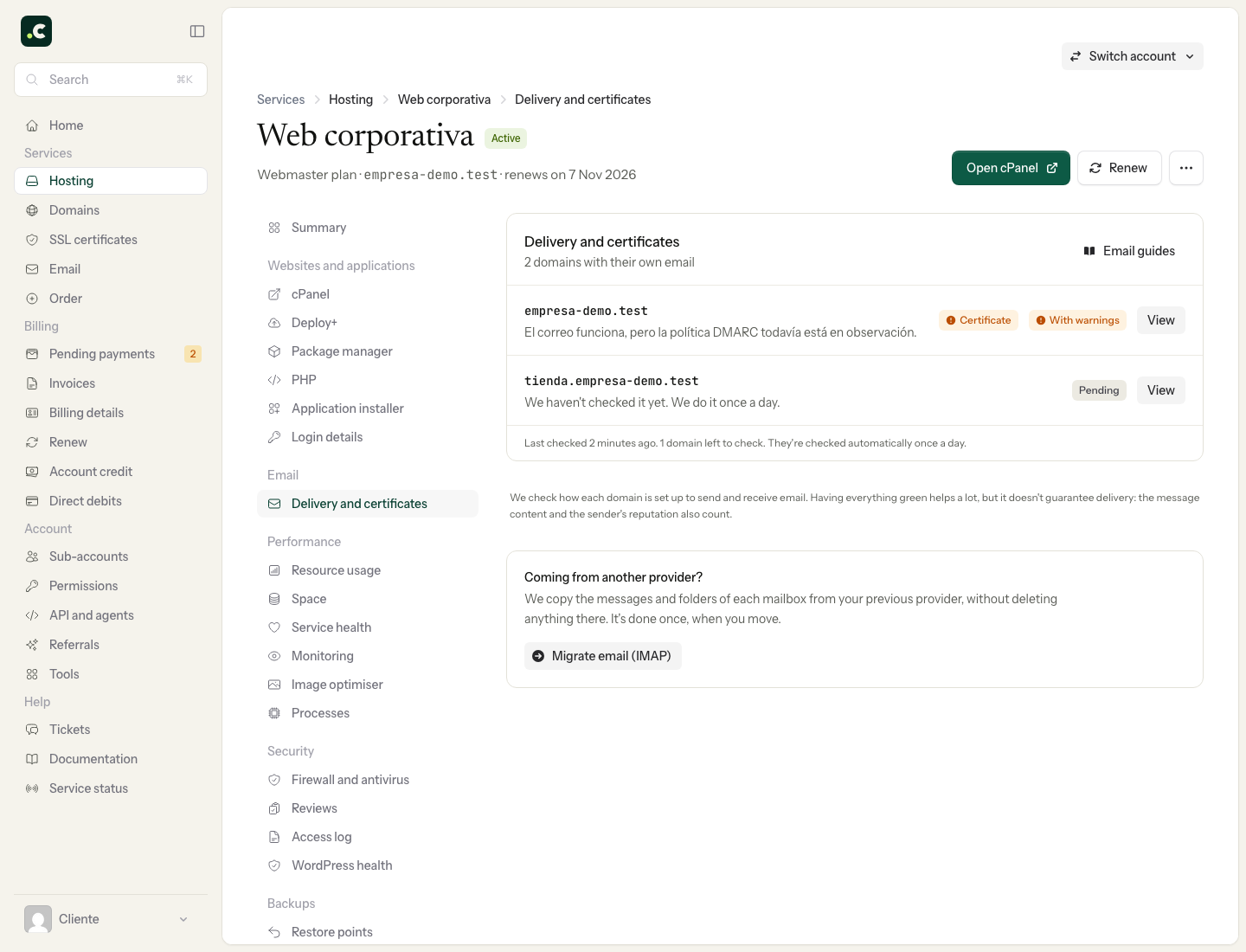
The page shows a verdict and several independent checks. Each one includes the observed value, a summary and, where possible, the recommended fix. OK confirms that specific check; Warning asks you to review it; Problem means the observed configuration is not valid.
Go through the DNS and routing checks one by one. If a card offers DNS assistant, use it to prepare the change and read the before and after before applying it. If the domain's DNS servers are with another provider, you will need to make the change there.
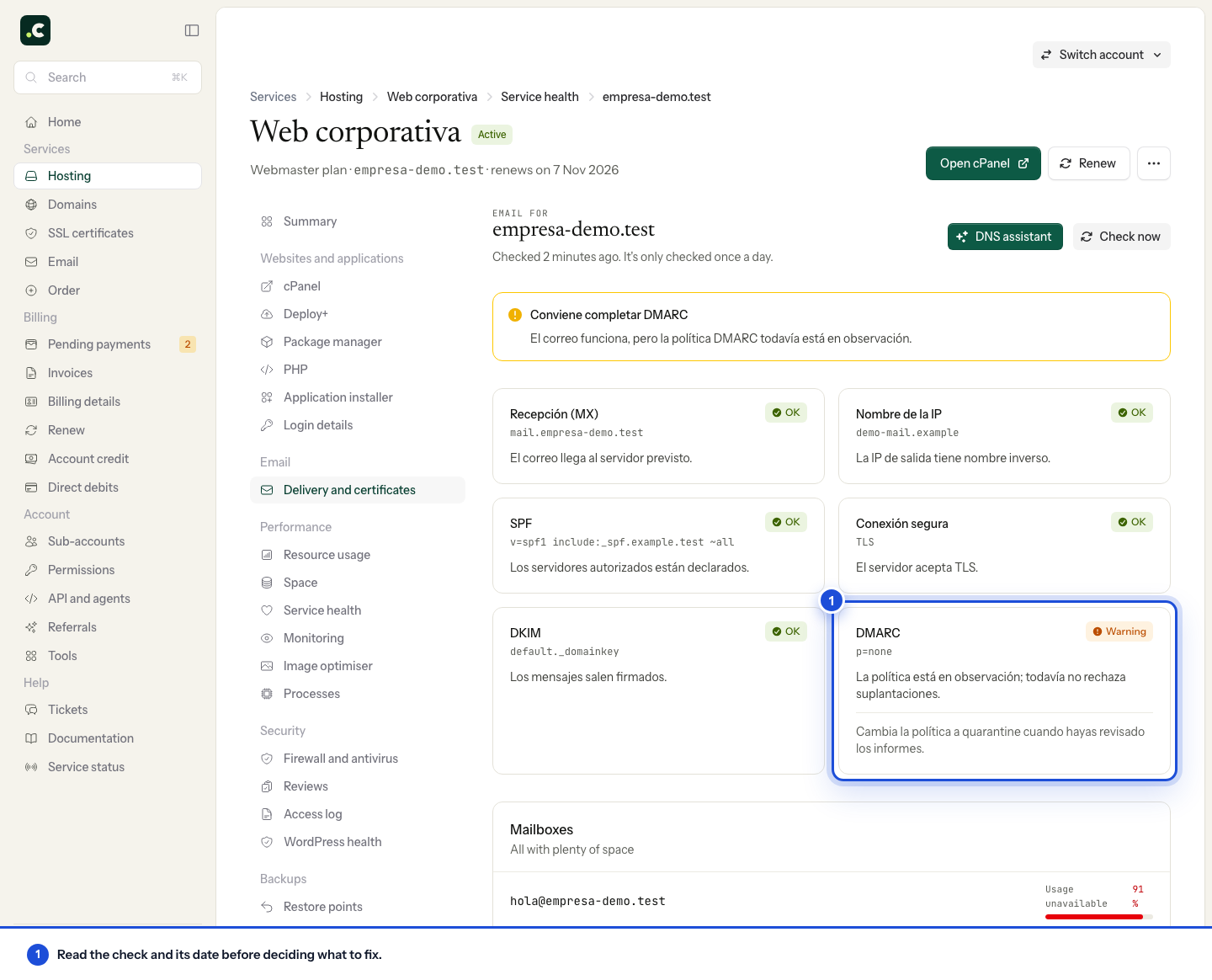
The Mailboxes section shows space usage. A full mailbox can stop receiving messages. Empty the bin and spam, download old email or increase its quota in cPanel before blaming DNS.
This screen checks the domain's configuration; it does not prove that a specific message was delivered. For an individual send or receipt, use email tracking and keep the sender, recipient, date and error message.
Certificate
The Certificate block goes through the steps needed for the domain to serve a valid certificate: DNS resolution, ability to issue, certificate served and renewal. Read the fix for the first stage that is not shown as OK; later stages may depend on it.
Click Check now after fixing the problem. The date at the bottom shows when the result you are looking at was obtained.
Choosing what to fix first
Start with the component that explains the symptom. If your email is with an external provider, check the public MX records and remote routing before creating local mailboxes. If a send is rejected, keep the message's error even if the general checks are OK.
A DMARC policy in monitoring mode is not a fault: before tightening it, identify your legitimate senders and review their reports. A valid website certificate does not prove the TLS connection of the SMTP server your application uses, either.
After fixing, check again and run a test of the affected service. If the problem persists, give us the domain, the time of the check and the specific warning. Do not repeat DNS changes based only on an old screenshot of the result.
You may also find useful
- Track Delivery: find an email and understand its status Search for a message in cPanel, tell acceptance, deferral and rejection apart, and gather the detail...
- Create email forwarders on a domain without hosting Shows how to create, from the client area, an address that forwards messages to another mailbox when...
- Migrate your email without losing messages when you change provider How to prepare the mailboxes, make a first copy, synchronise the final messages and move your email...
- Access your email through webmail and use Roundcube Log in to your email from the browser at yourdomain.com/webmail with the full address and its passwo...
Something wrong or out of date? Tell us and we will review it.