

Create email forwarders on a domain without hosting
A forwarder lets you receive messages sent to an address on your domain in an existing mailbox. For example, a contact address can forward to the account you already use to deal with enquiries.
When you have linked hosting, forwarders can be managed from the cPanel control panel.
For domains without hosting, forwarders can be created in the client area, in the Domains section, under Email forwarders, by entering a source address and a destination address.
The tool is only available when the domain:
- Has no linked hosting.
- Uses Hostsuar's DNS servers.
- Has the DNS zone management tool turned on.
If you need to change the nameservers to turn it on, first recreate in the new zone every record needed for the website, email and verifications. Changing the nameservers without doing so can interrupt those services.
A forwarder does not create a mailbox with IMAP or POP access. Also, external providers may reject forwarded messages or send them to spam when their authentication is not preserved; for a mailbox that needs to store and synchronise email, use a hosting or email service.
Create and test the forwarder
- In Domains, open the domain and go to Email forwarders.
- Enter the source address and the full destination in the form. This tool requires a destination outside the domain.
- Save and check both addresses under Active forwarders.
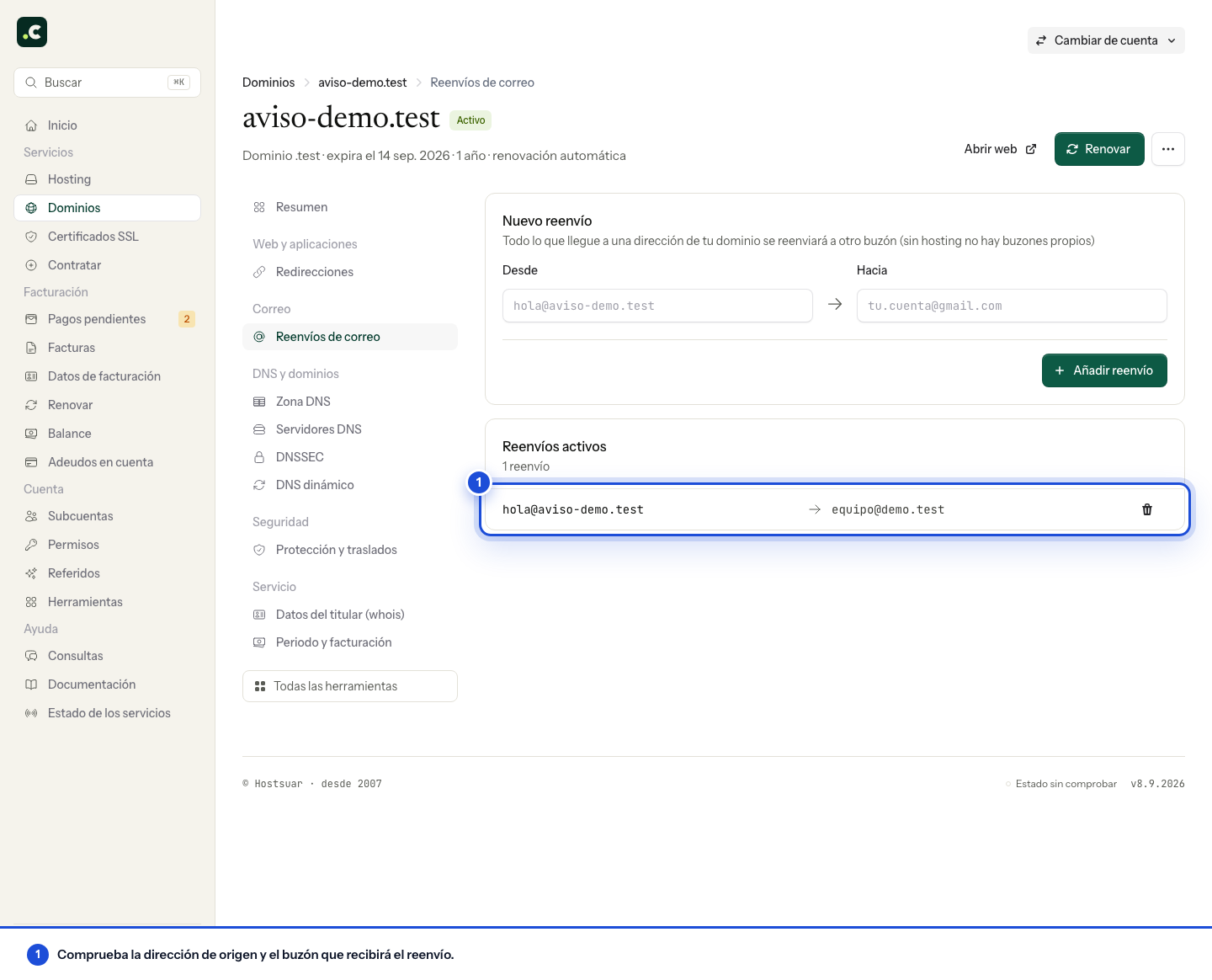
Test from another account of your own and check the destination mailbox, including its Spam folder. Do not set up a destination that forwards back to the source, because that can create a loop.
Do not change the DNS or MX of a domain whose email is with another provider just to enable this tool without planning the transition. Old messages are not moved, and the forwarder does not let you send over SMTP with that address either. If you need to keep a history, synchronise several devices and reply as the domain, you need a mailbox, not just a forwarder.
You may also find useful
- Autoresponders Set up autoresponders in cPanel, choose their interval and add text, links or images with HTML.
- Create and test email filters in cPanel Explains how to combine rules and actions in cPanel filters to move, forward or delete messages for...
- Mailing lists Describes how to create distribution lists with Mailman in cPanel and what options there are for exp...
- Use + sub-addresses to organise your email Shows how to use addresses with a suffix after the + sign to receive email in the same mailbox and a...
Something wrong or out of date? Tell us and we will review it.