

Domains and DNS
Protect a domain's public details with WHOIS privacy
A domain's registration details are looked up through RDAP or WHOIS, but they do not always appear in full publicly. The extension, the registry and the applicable regulations decide which fields are hidden or shown.
When the extension supports it, you can add a WHOIS privacy service to publish alternative contact details and reduce the exposure of the holder's details.
The alternative details belong to the privacy service and are not fictitious. The real details remain registered and must be accurate; legitimate requests are handled under the rules of the registry and the privacy provider.
You can add this extra when ordering the domain by selecting WHOIS privacy.
If the domain is already registered with us, go to the client area, Domains section, click Manage on the domain and open Protection and transfers in the side menu of the domain's page, under Security. The WHOIS privacy card is the last one on the screen.
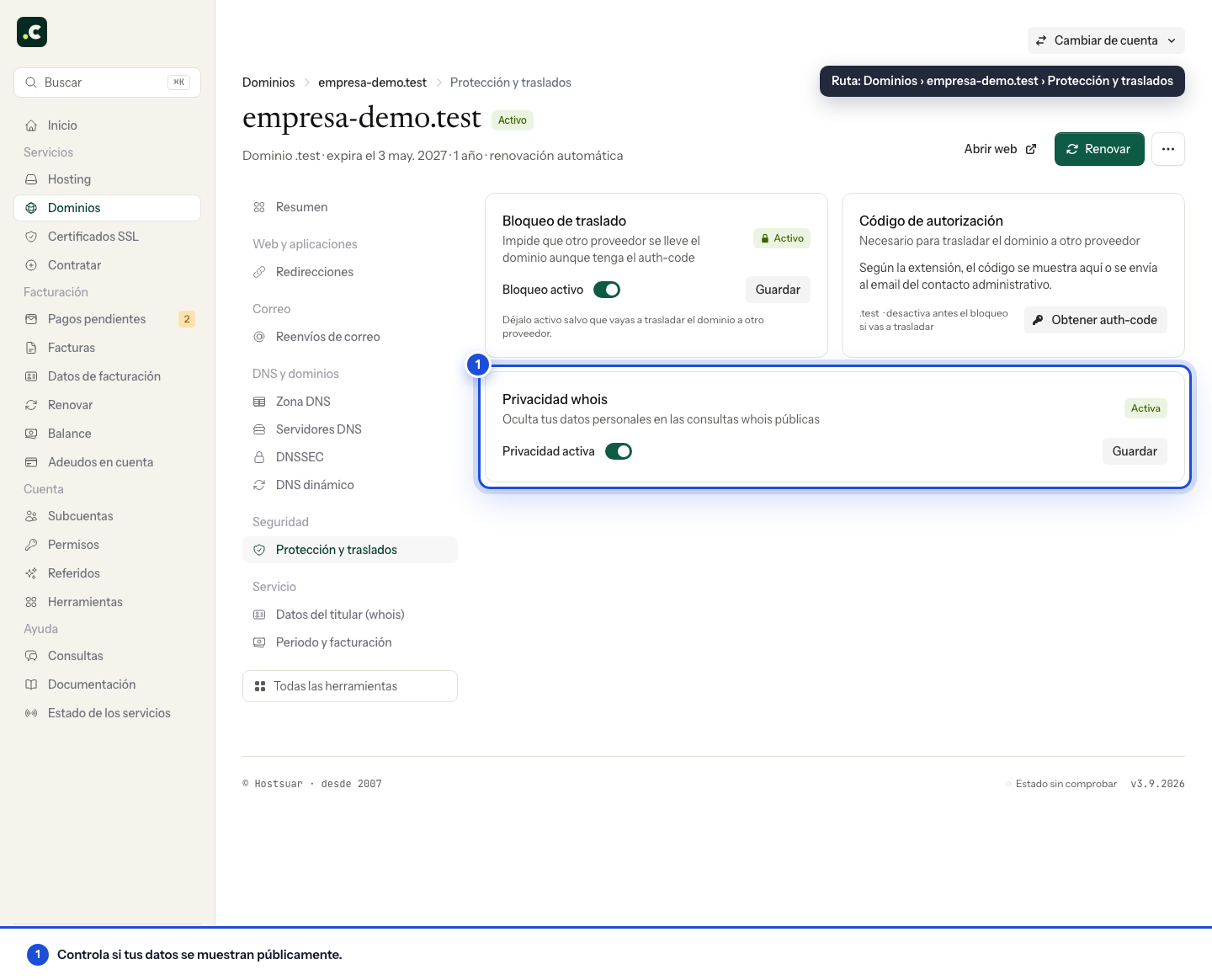
Not every extension supports this Hostsuar extra.
.esand.eudomains apply their own publication and privacy rules, so the service not being available does not mean all personal details are visible.
Check what stays public
After turning on the service, check its status in the panel and the public lookup that applies to the extension. A cache or an external history may keep earlier details; turning on privacy does not delete every copy third parties may have collected.
Keep the holder's real details correct and an email address that can receive verifications and renewals. Public privacy is no substitute for the transfer lock and does not protect a client account with compromised credentials.
Before ordering, check the price and renewal of the extra. Some details already being hidden by the registry's rules does not mean you need to buy another service to keep them hidden.
You may also find useful
- Update a domain's holder and contacts Shows where to update, from the client area, the holder details and the administrative and technical...
- What to do about «Please Verify Contact Data for your Domain Name(s)» Explains that ICANN's annual notice only reminds you to review the contact details and does not requ...
- Am I the owner of the domain? Check who is listed as the registrant and tell their rights of use apart from panel access, paying i...
- Change the holder of a .es domain through Red.es Explains the transfer of ownership of a .es domain at nic.es: create the new contact, verify the req...
Something wrong or out of date? Tell us and we will review it.