

Development and databases
Enable SSH access
SSH access can be enabled on demand from the client area, Hosting section, Firewall and antivirus option of the hosting service in question.
On a reseller account, this option does not appear on the reseller's general page. Manage access on the specific cPanel account that will use SSH.
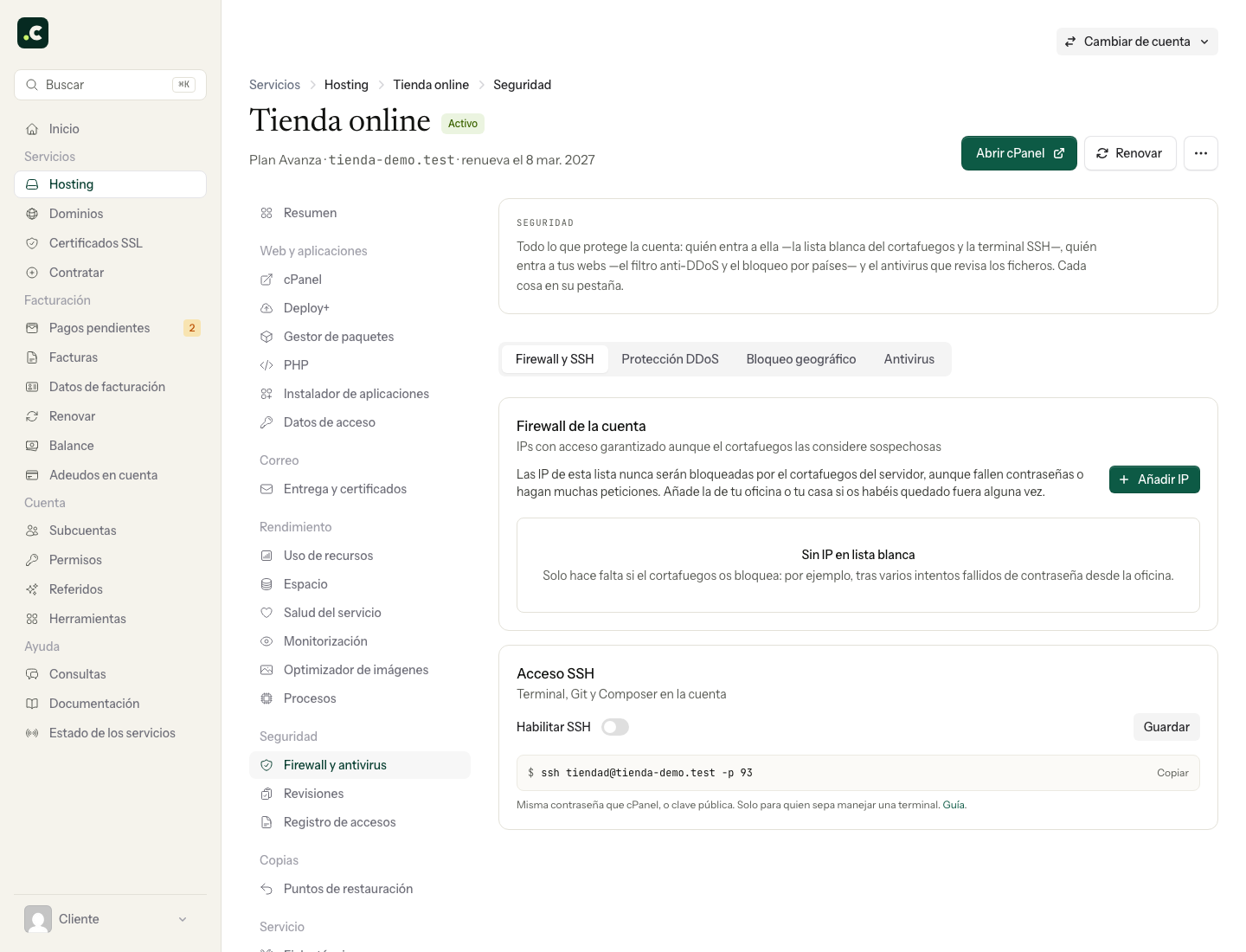
Enable and check
Inside the service, open Firewall and antivirus, find the SSH access control and turn it on. Click Save and wait for the panel to confirm the status before trying to connect. On an account in a multi-account hosting plan, check that you are managing that specific account and not the plan as a whole.
Then prepare your identity and connection details following the SSH access guide, or open the cPanel terminal. Enabling access does not install a public key or give you server administrator privileges.
If you are going to disable it, first review any automations or deployments that depend on SSH. To remove a specific person's access, revoke their authorised key; changing the cPanel password is not enough.
If Redis is active or the account has persistent processes, even stopped ones, the panel prevents you from disabling SSH, because that would stop every process on the account. To disable it, first turn off Redis and delete the persistent processes. Do not disable it to fix a key or password error; check the authentication first.
You may also find useful
- Apache handlers Set from cPanel which Apache handler should process a given extension, and learn why this option cal...
- Automatic deployment from GitHub, GitLab or Bitbucket with instant rollback Connect a Git repository to your hosting, run per-release scripts with deployment and .env variables...
- Automating Git deployment tasks with the .cpanel.yml file Define deployment tasks in .cpanel.yml, run them after a push or pull and learn how to trigger the p...
- Available binaries and tools - FFmpeg, Tesseract, ImageMagick, cURL and more See which binaries are available for video, images, PDF, OCR, networking, DNS, version control and o...
Something wrong or out of date? Tell us and we will review it.