

Domains and DNS
Add DNSSEC keys to a domain at Hostsuar
To enable DNSSEC, the DNS provider must already be signing the zone and the registrar must publish the corresponding chain-of-trust link. This guide explains the second part for domains registered at Hostsuar.
If you have not prepared the signature yet, follow DNSSEC in cPanel or DNSSEC in Cloudflare, depending on the domain's authoritative servers.
Add the key
- Open Domains > Manage > DNSSEC, under DNS and domains.
- In KSK key, select the algorithm your DNS provider specifies.
- Paste the exact public key. Do not paste a private key, a DS digest or the full DNSKEY line with its other fields.
- Fill in ZSK only if the provider also gives it to you to publish this way; it is optional.
- Review the domain and the values, and click Save keys.
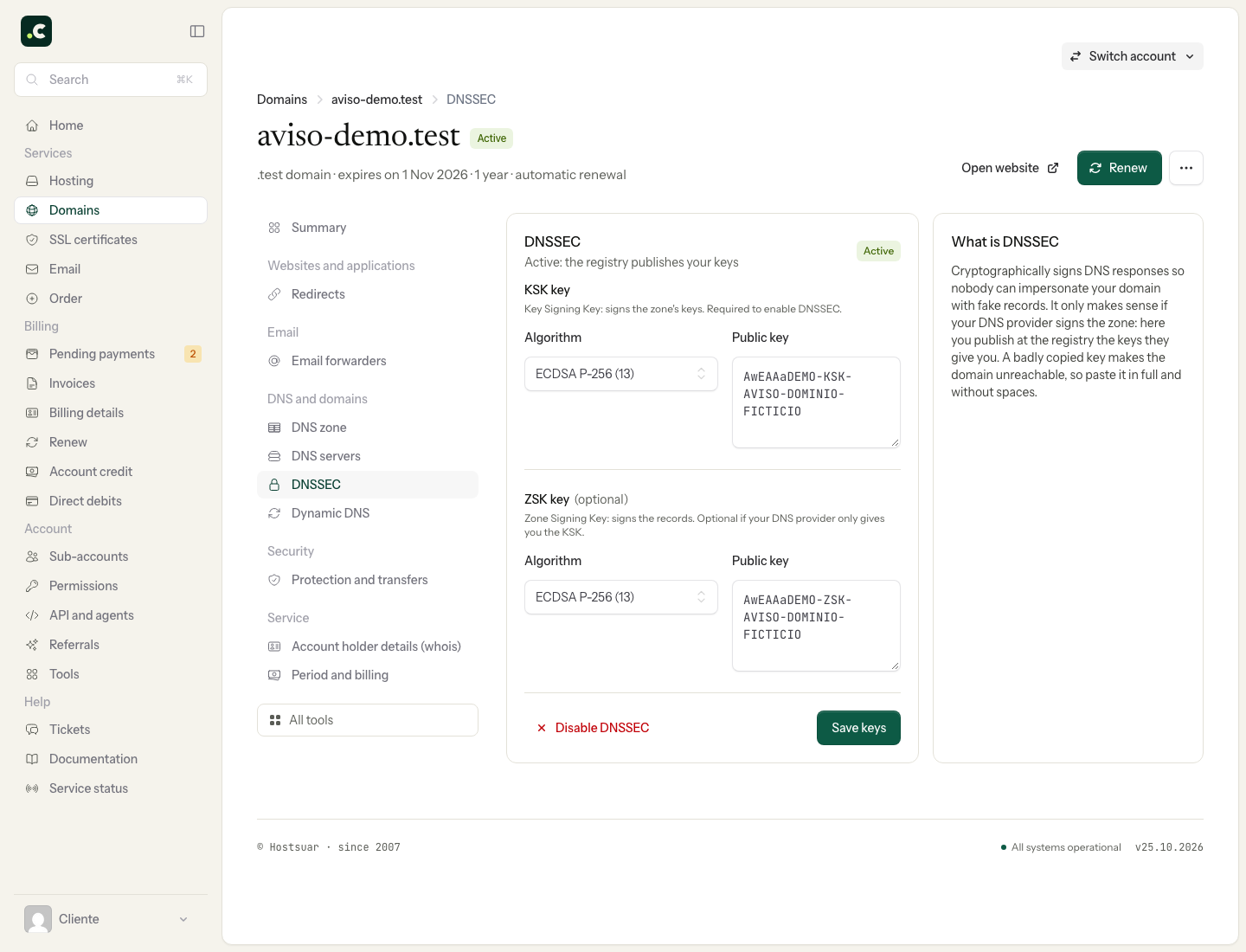
The algorithm and the key must belong to the same set. Do not choose RSA/SHA-256 (8) just because it appears as the initial option. If the provider only gives you a DS record and you cannot find the public key, ask us to confirm the format supported for your extension.
Check and maintain
Check that the DS is published and that the zone validates. A successful save message does not prove that every cache already sees the new configuration. If DNSSEC fails, keep the validator's result before changing values by trial and error.
If you change the DNS servers, the previous provider's key may no longer be valid for the new zone. Plan the change before replacing it.
To disable it, first remove DNSSEC at the registrar, wait for the previous DS to expire in the parent zone and only then disable signing at the DNS provider. Deleting the key that signs the zone first can leave the domain unresolvable for validating resolvers.
You may also find useful
- Hostsuar nameservers Look up Hostsuar's nameservers and prepare your domain's zone before changing the delegation.
- Look up a domain's records with Track DNS Use cPanel's Domain Lookup to query a domain and tell caching, missing records and resolution failur...
- Nameservers, zones and records: the difference Work out where to change a record and when you need to change the nameservers, with examples of sepa...
- Set up DNSSEC on a domain that uses Cloudflare Enable DNSSEC in Cloudflare and link its key to the domain at Hostsuar, without confusing the public...
Something wrong or out of date? Tell us and we will review it.