

Performance and monitoring
Site Quality Monitoring: analyse your website's availability, performance and SEO
Site Quality Monitoring is a cPanel tool that checks your website periodically: whether it is available, whether it loads quickly, whether it follows the usual SEO guidelines, and whether it has broken links, JavaScript errors or security problems. When it finds something, it lets you know by email.
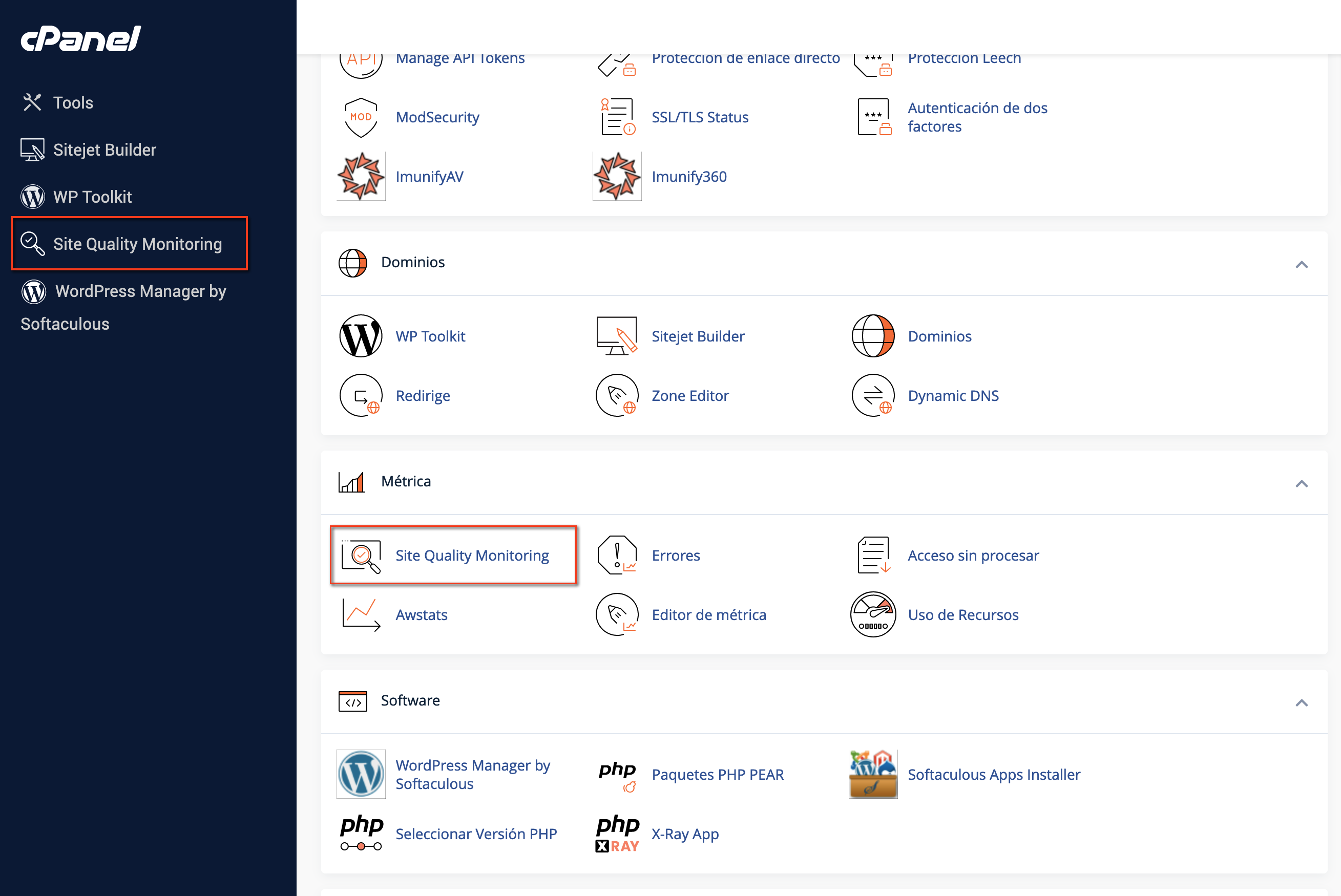
You will find it in cPanel, in the Metrics section:
Add a website
- Open Site Quality Monitoring.
- In the form, choose the domain or subdomain you want to analyse.
- Enter a contact email: that is where you will receive warnings about problems and recommendations. You can turn them off later from Settings.
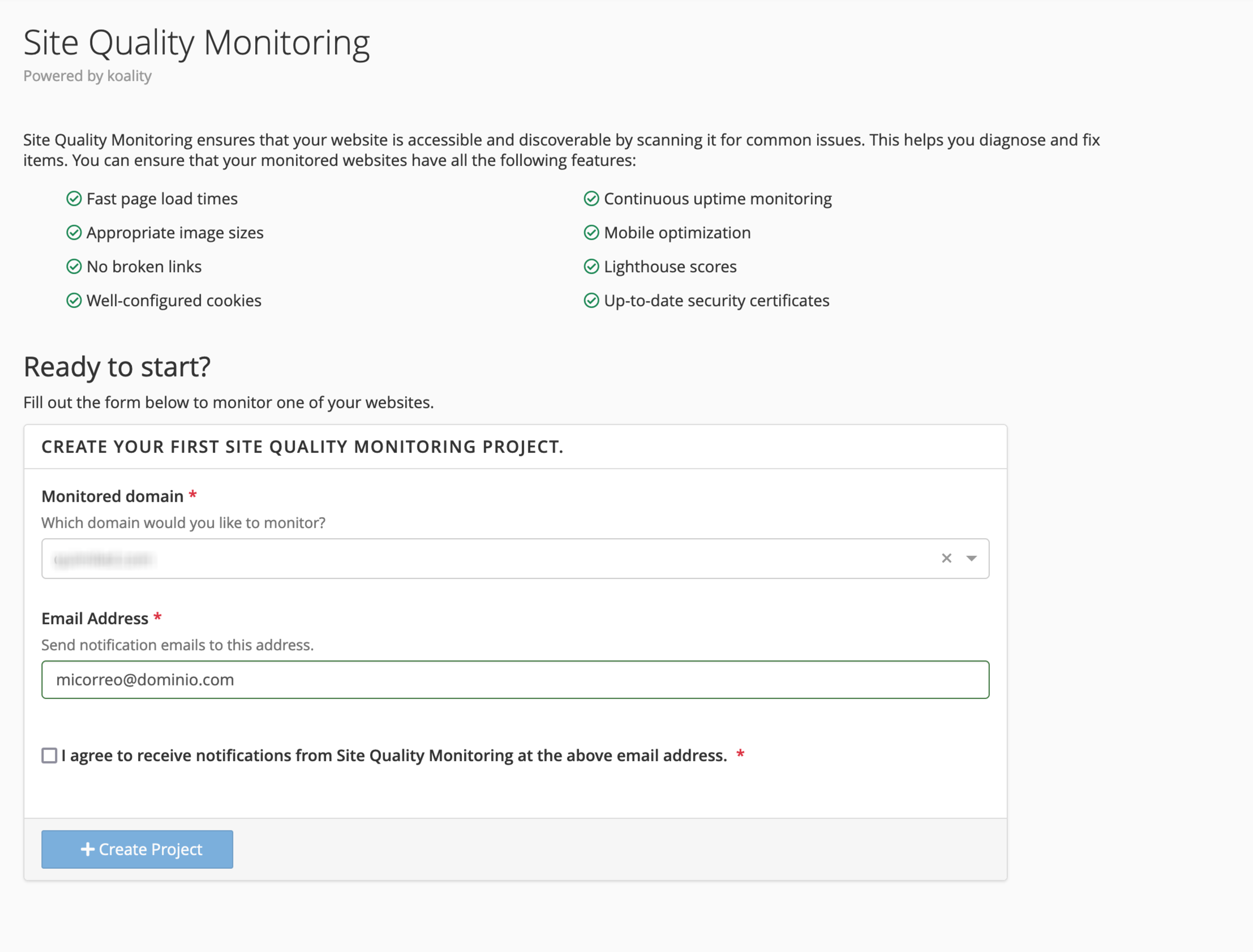
- You will receive an email with a code to confirm the address. Enter it and the project will be created and the first analysis will start.
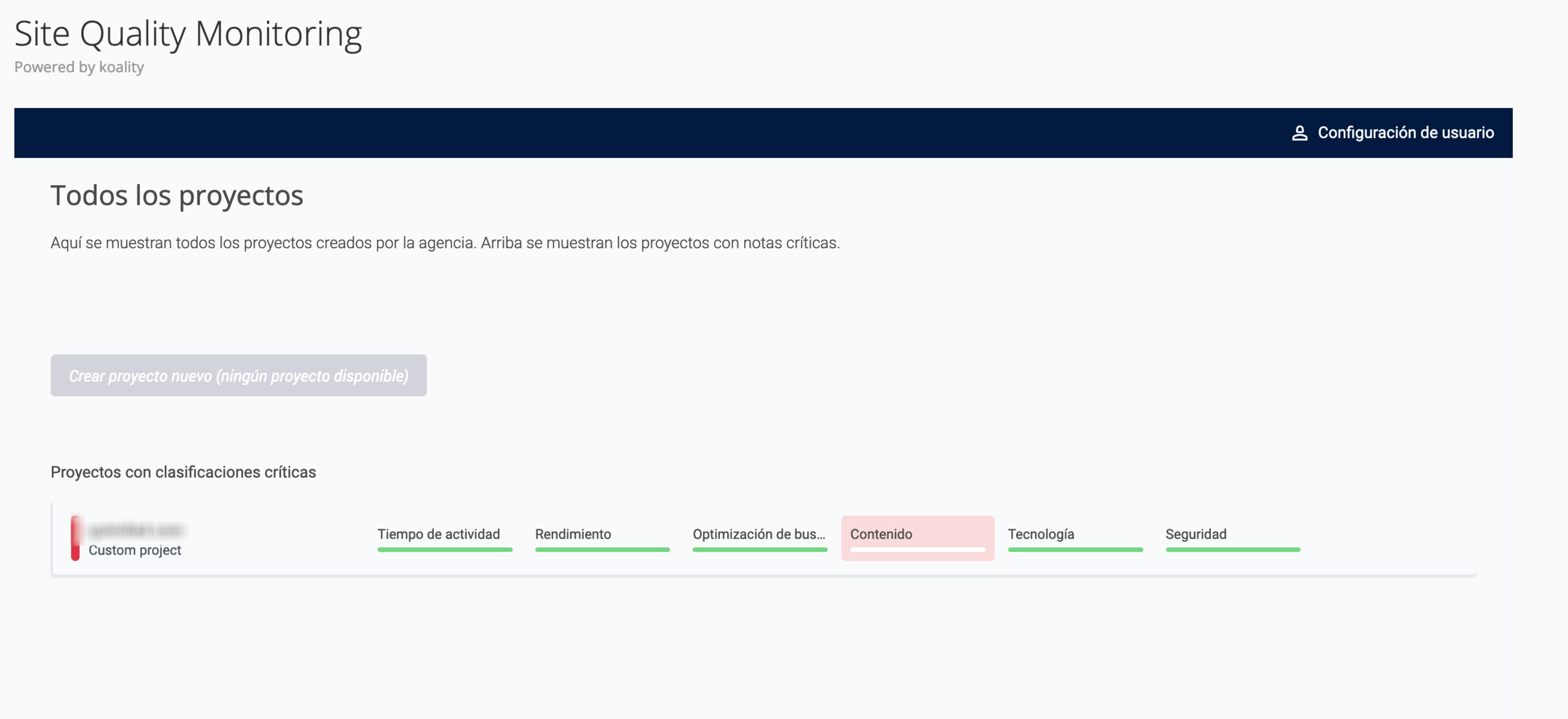
Dashboard with all projects
When you go in, you will see a summary with the main metrics and the status of each website you have added:
Website overview
When you open a project you see its overall status: a score from 1 to 100 and a simple explanation of each metric.
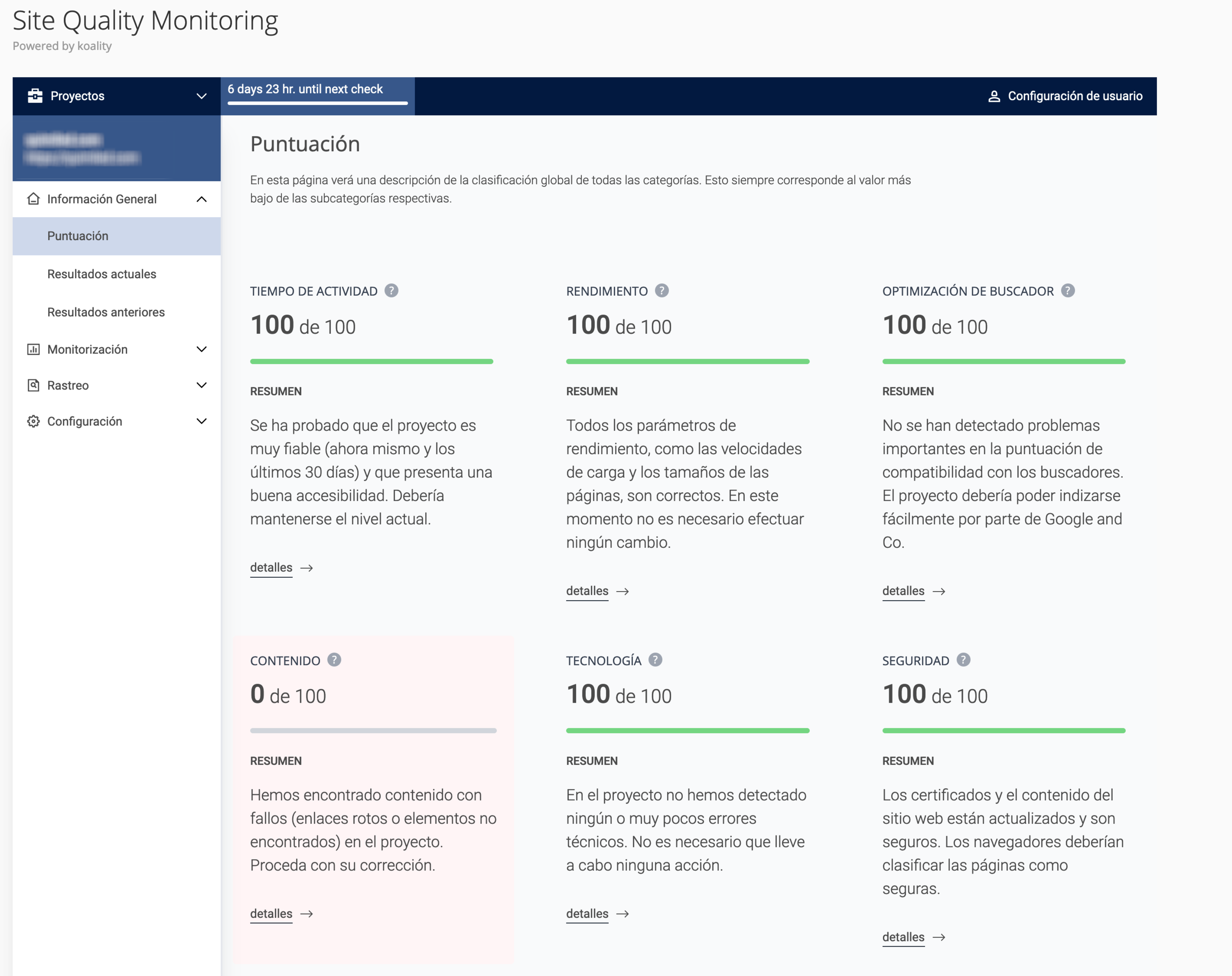
Current results shows the warnings from the latest analysis, and Previous results those from past analyses, so you can see what you have been fixing.
Monitoring
This is the main section. It checks:
- Availability: whether the website has been down or has returned errors.
- Performance: loading speed in the browser and elements that are too heavy.
- SEO: with Lighthouse, the most common SEO and development guidelines, the sitemap and whether the website displays properly on mobile.
- Content: broken links and CSS, scripts or images linked in the code that do not exist.
- Technical: JavaScript errors, both in your code and in external libraries.
- Security: that the SSL certificate is valid, the cookie configuration and whether there is content loaded over HTTP on an HTTPS page (mixed content), which browsers block.
Crawling
In Crawling you can run a search whenever you like for broken links, images and files that do not exist and large files that would be worth optimising. Each crawl is started manually.
The crawler visits every page on your website, so while it runs it may increase the account's CPU usage. Run it at times of low traffic.
Settings
Here you change the contact email, choose which alerts you want to receive (so you do not get too many emails) or delete the project.
Frequently asked questions
How often is my website analysed?
At the top you will see a counter with the time left until the next analysis.
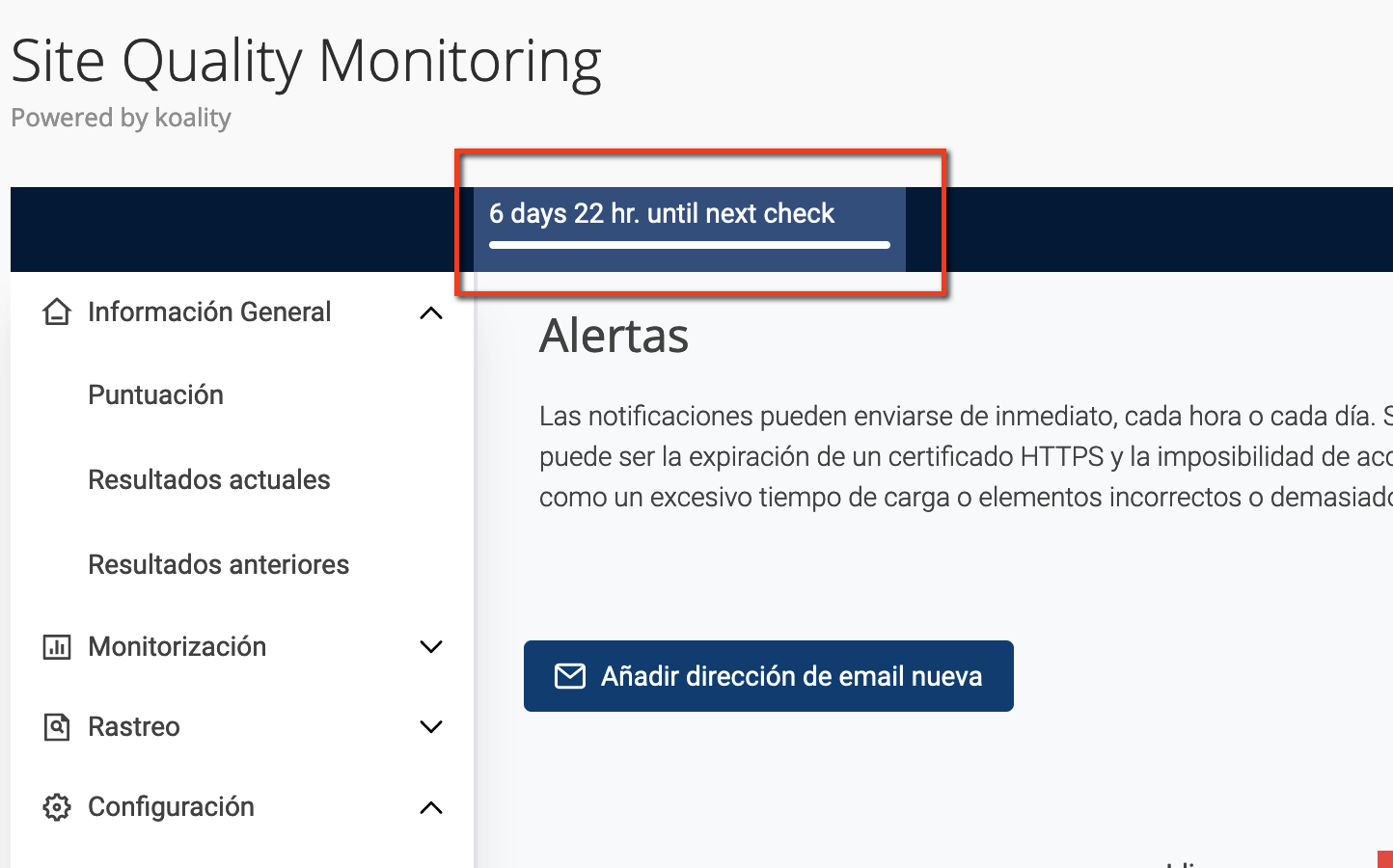
If you fix something, you will not see it reflected until the next analysis. You can check broken links and missing files sooner by running a new Crawl.
Do I have to fix everything it reports?
It depends on the warning:
- Always fix them: broken links, missing images or files, JavaScript errors, an expired SSL certificate and mixed content. They directly affect your visitors.
- Weigh them up: recommendations such as file size. If you need high-quality videos or images, you will not always be able to meet them, and that is normal.
The same goes for development guidelines: ideally you would meet all you can, but many depend on plugins or themes you did not build. If a warning comes from a plugin, you can report it to its developer.
If the tool warns that the website is unavailable but it works for you, a firewall, password protection or a security plugin may be blocking the crawler.
Is it reliable?
Generally yes, but take the metrics as a guide, not as something set in stone. A website can be fast and easy to use without meeting every recommendation. For speed you have more detail in PageSpeed Insights, and to find out whether Google indexes your pages, use Search Console.
You may also find useful
- Interpret WordPress Site Health warnings Interpret WordPress Site Health warnings about themes, PHP, modules, updates, HTTPS, the REST API an...
- Proactive+: monitoring with incidents fixed by our team What Proactive+ monitors, which problems we fix when your website goes down, how to enable it per do...
- Google PageSpeed Insights: what it is, a practical example and fixes What PageSpeed Insights measures, what LCP, INP, CLS and the other metrics mean, and how to fix its...
- Interpret response time in PageSpeed, Pingdom and GTmetrix Tell apart TTFB, HTTP waiting time, latency and full load, and compare locations and caches before b...
Something wrong or out of date? Tell us and we will review it.